

Generally when we create RTF using BI Publisher Desktop by default Fields will store in <xdo:ref0091> format.But when we attach this template it will throw an error.So we need to replace those with actual Data fields.Follow below steps to Resolve this issue.
The source of error is RTF Template.
1. Open RTF template. Double Click a field to display properties dialog.
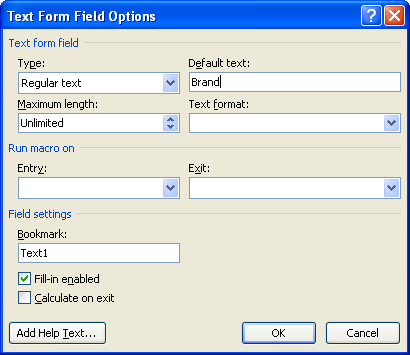
2. Click Add Help Text button
3. In Type your own section, write field name like this <?Brand?>, if ‘<xdo:refxxxx>’ or similar found.
4. Click OK Save template.
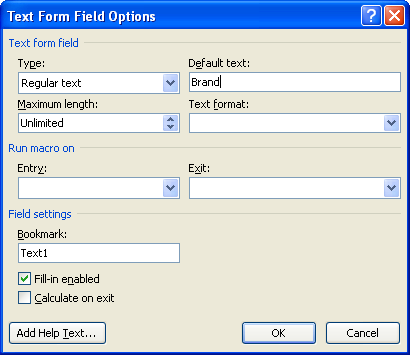
If still encountering with same error, check all Fields in RTF Template.
Error :

Caused by: oracle.xdo.parser.v2.XPathException: Namespace prefix 'ref' used but not declared.
	at oracle.xdo.parser.v2.XSLProcessor.reportException(XSLProcessor.java:806)
	at oracle.xdo.parser.v2.XSLProcessor.newXSLStylesheet(XSLProcessor.java:571)
This Error generally due to higher BI Publisher versions.
If Word Properties of the XML Field has source something like ‘<?ref:xdo0040?>’ you will face this error
Solution :
Make BI Publisher backward compatible.
Go to Options
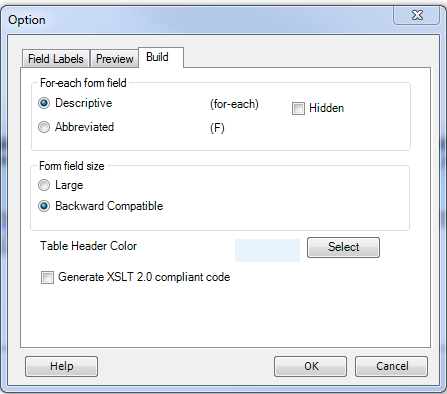
Build -> Form field size -> Set to Backward Compatible

Comments
Tags: #dba_immam, #dbaimmam, #immam_dba, oracle bi publisher, Oracle DBA, Oracle Developer, Oracle EBS, oracle publisher, oracle reporting