Never bother to learn something not knowing which does not do you any harm, and never neglect to learn something whose negligence will increase your ignorance.
-: Imam Musa Kazim (AS) :-

linux01(oracle:orcl1)/home/oracle: lsnrctl start

LSNRCTL for Linux: Version 11.2.0.4.0 - Production on 15-SEP-2015 03:43:02

Copyright (c) 1991, 2013, Oracle.  All rights reserved.

Starting /opt/oracle/product/11.2.0.4.RAC/bin/tnslsnr: please wait...

TNSLSNR for Linux: Version 11.2.0.4.0 - Production
System parameter file is /opt/oracle/product/11.2.0.4.RAC/network/admin/listener.ora
Log messages written to /opt/oracle/diag/tnslsnr/linux01/listener/alert/log.xml
Listening on: (DESCRIPTION=(ADDRESS=(PROTOCOL=ipc)(KEY=LISTENER)))
TNS-01155: Incorrectly specified SID_LIST_LISTENER parameter in LISTENER.ORA
 NL-00303: syntax error in NV string

Listener failed to start. See the error message(s) above...
In the listener.ora file there were blank lines under the section SID_LIST_LISTENER. We removed the blank line entries and brought up the listener. (please note that this may be one of the scenarios)
Erroneous listener.ora file excerpts below:
SID_LIST_LISTENER =
 (SID_LIST =
 (SID_DESC =
 (GLOBAL_DBNAME = ORCL1)
 (ORACLE_HOME = /opt/oracle/product/11.2.0.4.RAC)
 (SID_NAME = ORCL1)
 )
 <<<<< blank line
 (SID_DESC =
 (GLOBAL_DBNAME = ORCL2)
 (ORACLE_HOME = /opt/oracle/product/11.2.0.4.RAC)
 (SID_NAME = ORCL2)
 )
 <<<<< blank line
)
Symptom:
As part of a database tuning effort you increase the SGA/PGA sizes; and Oracle greets with anORA-27102: out of memoryerror message. The system had enough free memory to serve the needs of Oracle.
SQL> startup
ORA-27102: out of memory
SVR4 Error: 22: Invalid argument
Diagnosis
$ oerr ORA 27102
27102, 00000, "out of memory"
// \*Cause: Out of memory
// \*Action: Consult the trace file for details
Not so helpful. Let’s look the alert log for some clues.
% tail -2 alert.log
WARNING: EINVAL creating segment of size 0x000000028a006000
fix shm parameters in /etc/system or equivalent
Oracle is trying to create a 10G shared memory segment (depends on SGA/PGA sizes), but operating system (Solaris in this example) responded with an invalid argument (EINVAL) error message. There is a little hint about setting shm parameters in/etc/system.
Prior to Solaris 10,shmsys:shminfo_shmmaxparameter has to be set in/etc/systemwith maximum memory segment value that can be created. 8M is the default value on Solaris 9 and prior versions; where as 1/4th of the physical memory is the default on Solaris 10 and later. On a Solaris 10 (or later) system, it can be verified as shown below:
% prtconf | grep Mem
Memory size: 32760 Megabytes
% id -p
uid=59008(oracle) gid=10001(dba) projid=3(default)
% prctl -n project.max-shm-memory -i project 3
project: 3: default
NAME    PRIVILEGE       VALUE    FLAG   ACTION                       RECIPIENT
project.max-shm-memory
        privileged      7.84GB      -   deny                                 -
        system          16.0EB    max   deny                                 -
Now it is clear that the system is using the default value of 8G in this scenario, where as the application (Oracle) is trying to create a memory segment (10G) larger than 8G. Hence the failure.
So, the solution is to configure the system with a value large enough for the shared segment being created, so Oracle succeeds in starting up the database instance.
On Solaris 9 and prior releases, it can be done by adding the following line to/etc/system, followed by a reboot for the system to pick up the new value.
set shminfo_shmmax = 0x000000028a006000Howevershminfo_shmmaxparameter was obsoleted with the release of Solaris 10; and Sun doesn’t recommend setting this parameter in/etc/systemeven though it works as expected.
On Solaris 10 and later, this value can be changed dynamically on a per project basis with the help of resource control facilities . This is how we do it on Solaris 10 and later:
% prctl -n project.max-shm-memory -r -v 10G -i project 3
% prctl -n project.max-shm-memory -i project 3
project: 3: default
NAME    PRIVILEGE       VALUE    FLAG   ACTION                       RECIPIENT
project.max-shm-memory
        privileged      10.0GB      -   deny                                 -
        system          16.0EB    max   deny                                 -
Note that changes made with theprctlcommand on a running system are temporary, and will be lost when the system is rebooted. To make the changes permanent, create a project withprojaddcommand and associate it with the user account as shown below:
% projadd -p 3  -c 'eBS benchmark' -U oracle -G dba  -K 'project.max-shm-memory=(privileged,10G,deny)' OASB
% usermod -K project=OASB oracle
Finally make sure the project is created withprojects -lorcat /etc/projectcommands.
% projects -l
...
...
OASB
        projid : 3
        comment: "eBS benchmark"
        users  : oracle
        groups : dba
        attribs: project.max-shm-memory=(privileged,10737418240,deny)
% cat /etc/project
...
...
OASB:3:eBS benchmark:oracle:dba:project.max-shm-memory=(privileged,10737418240,deny)
With these changes, Oracle would start the database up normally.
SQL> startup
ORACLE instance started.
Total System Global Area 1.0905E+10 bytes
Fixed Size                  1316080 bytes
Variable Size            4429966096 bytes
Database Buffers         6442450944 bytes
Redo Buffers               31457280 bytes
Database mounted.
Database opened.
Addendum : Oracle RAC settings
Anonymous Bob suggested the following settings for Oracle RAC in the form of a comment for the benefit of others who run into similar issue(s) when running Oracle RAC. I’m pasting the comment as is (Disclaimer: I have not verified these settings):
Thanks for a great explanation, I would like to add one comment that will help those with an Oracle RAC installation. Modifying the default project covers oracle processes great and is all that is needed for a single instance DB. In RAC however, the CRS process starts the DB and it is a root owned process and root does not use the default project. To fix ORA-27102 issue for RAC I added the following lines to an init script that runs before the init.crs script fires.
# Recommended Oracle RAC system params
ndd -set /dev/udp udp_xmit_hiwat 65536
ndd -set /dev/udp udp_recv_hiwat 65536
# For root processes like crsd
prctl -n project.max-shm-memory -r -v 8G -i project system
prctl -n project.max-shm-ids -r -v 512 -i project system
# For oracle processes like sqlplus
prctl -n project.max-shm-memory -r -v 8G -i project default
prctl -n project.max-shm-ids -r -v 512 -i project default
So simple yet it took me a week working with Oracle and SUN to come up with that answer…Hope that helps someone out.
After setting up of Accounts Receivable (AR) Module. Create Accounting some times completes with warning message “The application accounting definition Multi-Fund Account Receivables Accrual – Balancing Method owned by Oracle is not validated. Please validate the application accounting definition or update the application accounting definitions contained in the subledger accounting method Encumbrance Accrual.”
This warning message we can find in Log file of the concurrent program
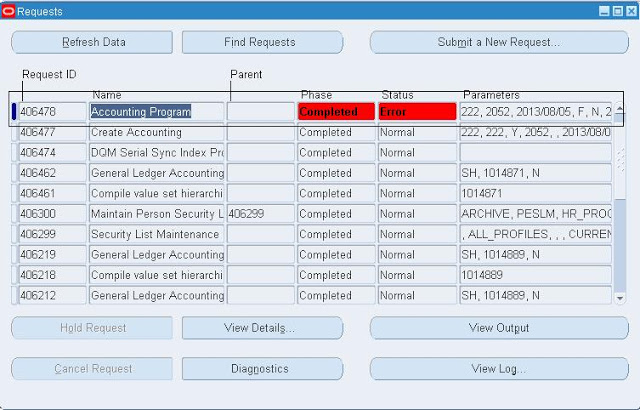

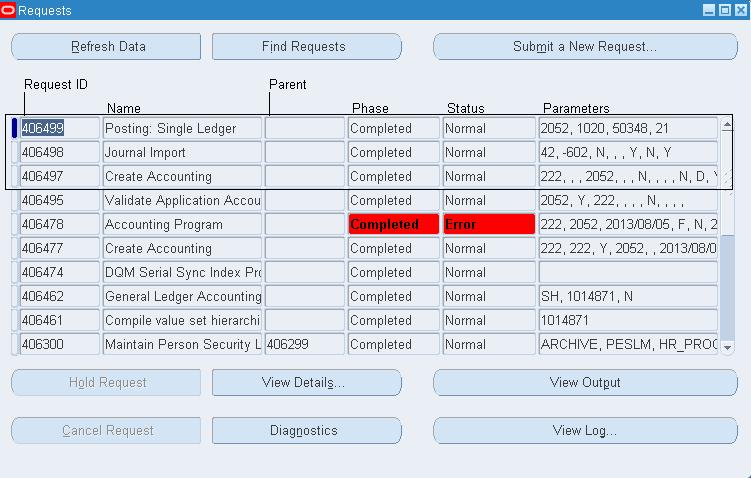
To overcome this issue go to AR Resposibility and Run Concurrent Program “Validate Application Accounting Definitions“.
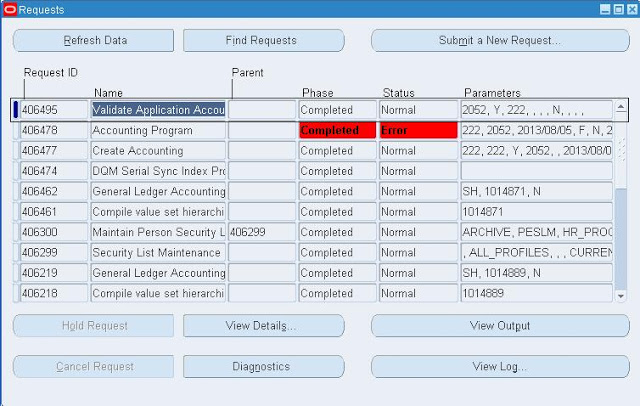
You can identify that all the Application Accounting Definition Validated by checking the Out put file of the concurrent program.

Go to AR Invoice and try to do create accounting. Now Create Accounting concurrent program gets Completes Normal.