


Archive for the ‘TEChNoLoGY’ Category
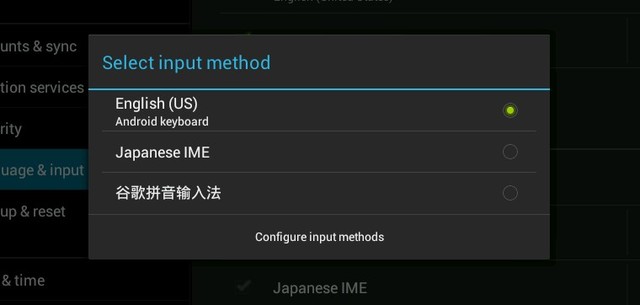
Changing the Keyboard Language in Android
April 26th, 2014, posted in Android
Changing the Keyboard Language
Click each step to see the action :
-
1.Swipe down from the top of the screen with two fingers
-
2.Tap Settings
-
3.Scroll down and tap Language & Input
-
4.Tap the Settings icon beside Android Keyboard
-
5.Tap Input Languages
-
6.By default, the phone will only use the currently active system language. To add more languages, tap the check box beside Use System Language
-
7.Tap the languages you wish to add
-
8.To change the keyboard, in a text entry screen, tap the Globe icon to cycle through the chosen languages
-
9.To view a list of all of the chosen languages, tap and hold on the Globeicon
-
10.Tap the language you wish to use
Link : http://videotron.tmtx.ca/faqs/item/?lc=en&p=lg_nexus4&a=changing_the_keyboard_language
Cisco Linksys WRT160n v2 Wirelss Configuration
April 21st, 2014, posted in TEChNoLoGY Cisco-Linksys WRT160N Wireless-N Broadband Router
• Great for larger homes with many users
• Fast Wireless-N connectivity frees you to do more around your home
| Technical Details : | |
| Brand | Cisco |
| Item Weight | 635 g |
| Product Dimensions | 27.2 x 24.4 x 6.6 cm |
| Item model number | WRT160N |
| Processor Count | 1 |
| RAM Size | 2000 MB |
| Computer Memory Type | SDRAM |
| Wireless Type | 2.4 GHz Radio Frequency, 802.11n |
Some useful links to configure it :
http://www.wikihow.com/Configure-a-Linksys-WRT160N-Router
http://www.pcwintech.com/wireless-setup-linksys-wrt160n-v2-linksys-firmware
http://audipages.com/router/
Settings for Zain Mobile Internet Setting – Saudi Arabia
April 17th, 2014, posted in Android, Kingdom
For iPhone Manual setup :
- Select Settings.
- Select General.
- Select Network or Cellular
- Select Cellular Data Network.

- Under Cellular Data Option
  APN: zain
  Username:
  Password:

- Under MMS Option
  APN:
  Username:
  Password:
  MMSC:
  MMS Proxy:
  MMS Max Message Size:
  MMS UA Prof URL:

- Click Network Tab up the top to save

Note: If you do not have the Cellular Data Option then please use the
Automated Setup by going to http://www.unlockit.co.nz from your iPhone.
---------------------------
For Android Manual Setup :
- Press Main
- Select Settings
- Select Wireless and Networks
- Select Mobile Networks
- Select Access point Names
- Delete all APN's in this section.
- Press Menu
- Press New APN
- Enter the follow settings one for General Data . The other for MMS

Name: SA - Zain Web
APN: zain
Proxy:
Port:
Username:
Password:
Server:
MMSC:
MMS Proxy:
MMS Port:
MMS Protocol: WAP 2.0
MCC: 420
MNC: 04
Authentication Type: PAP
APN Type: default, supl

PXT Messaging MMS:
Name: SA - Zain MMS
APN:
Proxy:
Port:
Username:
Password:
Server:
MMSC:
MMS Proxy:
MMS Port:
MMS Protocol: WAP 2.0
MCC: 420
MNC: 04
Authentication Type: PAP
APN Type: mms
How to Back Up or Copy Your Outlook Mail, Contacts and Other Data
April 7th, 2014, posted in Microsoft
How to Back Up or Copy Your Outlook Mail, Contacts and Other Data
This is a very good link with all the steps to make Back Up or Copy Your Outlook Mail, Contacts and Other Data :
http://www.makeuseof.com/tag/5-easy-ways-to-back-up-your-microsoft-outlook-data/