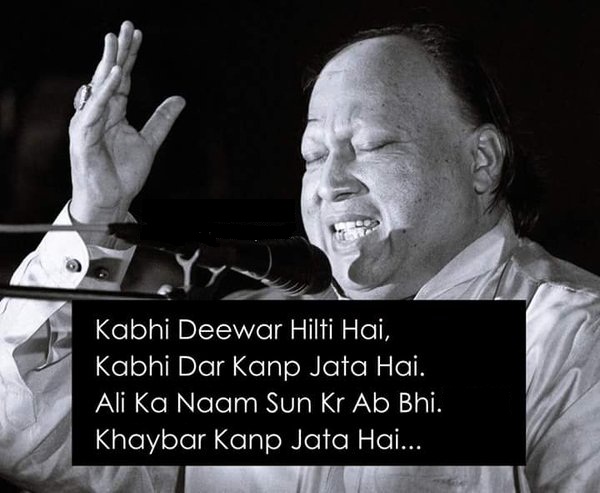
Sometimes the wall shakes, sometimes trembles the door
upon hearing the name of Ali, the fort of Khaibar trembles even now.
Note: During the battle for the Fort of Khaibar, Ali rooted out the heavy door of the fort and used it as his shield.

If your system is a SunFire midframe server (38×0, 48×0, or 68×0 model), use this command to include data from the system console:
# /opt/SUNWexplo/bin/explorer -q -e -w default,scextended
If your system uses an alom (advanced lights out manager), some additional data can be collected. Systems that use that include:
Sun Fire V210,V240,V250,V245,V440,V440R,V445 Server Netra 240,440 (AC) Server
Use this command:
# /opt/SUNWexplo/bin/explorer -q -e -w default,alomextended
If your system uses T1 processors (system type starts with T, and uname -a command will say architecture is sun4v), use this command:
# /opt/SUNWexplo/bin/explorer -q -e -w default,Tx000
For any other model of Sun system, use this command:
# /opt/SUNWexplo/bin/explorer -q -e
The -q option suppresses printing of error messages during the run.
The -e option prevents explorer from automatically sending email.
The -w scextended option collects data from the system console (sc).
If you cannot run explorer for some reason, here are the most important things to collect:
/var/adm/messages or messages.# file for the time when the crash was taken. Be sure to include any messages that occurred just before panic.
/etc/system file
output of the showrev -p command, for a list of patches on system
Detailed hardware configuration of the system. To determine which command to use, issue the command uname -m to find the system architecture type.
If it is sun4u, send the output of this command:
/usr/platform/sun4u/sbin/prtdiag -v
If it is sun4v, send the output of this command:
/usr/platform/sun4v/sbin/prtdiag -v
Output of this command:
prtconf -vp
If your system is a SunFire midframe server (38×0, 48×0, or 68×0 model), include the output of these commands to collect data from the system console:
showlogs -v
showlogs -d showboards -v showplatform -v showenvironment -v showsc -v
Link : http://ram-y.blogspot.com/2011/02/taking-explorer-on-sun-machines.html