




Sometimes we learn a lot of things after a hard struggle then after a period of time we forget the process or something which is a key and after that we spent time to get the solution again. A documentation of each activity might help to make your portfolio that’s why I am writing a blog because it’s a better idea “what you learn write ones” So, Today I am going to explain you Connection String C# to Oracle Database. Occasionally we have seen C# to Sql Server in many other blogs and Microsoft web sites. C# to Oracle connection string is Similar to C# to SQL Server Connection String with one additional step Here we go :
Step# 1
Open Visual Studio 2010 [ I am assumed that you are using VS2010 ] , Click on File->New->Website Then select from the left pane Visual C# and then select ASP.net Web Site. Note: .Net Framework 4 should be selected.
Step#2
Right click on the project for ” add new Item” click ok
Step#3
Open “Default.aspx.cs” file or whatever your file name with the extension “aspx.cs” from the solution Explorer [ Ctrl + Alt + L ]
Step# 4
Again Right click on the project and “Add ASP.Net Folder“ then select “Bin“. Download the file ” System.Data.OracleClient.dll ” from: http://www.dllme.com/dll/files/system_data_oracleclient_dll.html and then place in the Bin folder which you have created then refresh the project folder from the VS2010
Step# 5
Now add this in to header of Default.aspx.cs file
using System.Data.OracleClient; using System.Data; using System.Configuration;
Step# 6
Open web.config and add this under connectionStrings tag <add name=”TestConn” connectionString=”Data Source=TestSource; User;password=Test;Persist Security Info=False” providerName=”System.Data.OracleClient”/> Save file with your credentials and close
Step# 7
Now back to the default.aspx.cs
public void muFunc()
{
string arr;
string connStr = System.Configuration.ConfigurationManager.ConnectionStrings[“TestConn”].ConnectionString;
try
{
OracleConnection conn = new OracleConnection(connStr);
string query = “SELECT * FROM Orders”;
conn.Open();
}
catch (Exception Er)
{
}
finally
{
Conn.Close();
}
}
Hope this helps to you.
Note : This blog was written by a friend.
http://fahadshamsi.blogspot.com/2013/01/CsharptoOracleConnection.html
I have been trying to send email using PHP script and XAMPP Lite. The PHP script itself is not a biggies but the default XAMPP configuration doesnt allow me to send out the email.
My objective is to use Gmail as my SMTP (rather than localhost). After some digging and try and error.. Here is my solution :
Edit your php.ini (xamppphpphp.ini). Search for [mail function] and change these parameters accordingly :
SMTP = smtp.gmail.com
smtp_port = 587
sendmail_from = [your_gmail_username]@gmail.com
Note: This gmail account will be used to send the email
sendmail_path = “â€D:xamppsendmailsendmail.exe†-tâ€
Note: I did install my xampp at D:xampp
Comment the “Mercury”and “A free mail service example” contents as shown below:
# Mercury
#account Mercury
#host localhost
#from postmaster@localhost
#auth off
# A freemail service example
#account Hotmail
#tls on
#tls_certcheck off
#host smtp.live.com
#from [exampleuser]@hotmail.com
#auth on
#user [exampleuser]@hotmail.com
#password [examplepassword]
account Gmail
tls on
tls_certcheck off
host smtp.gmail.com
from [your_gmail_username]@gmail.com
auth on
user [your_gmail_username]@gmail.com
password [your_gmail_password]port 587
account default : Gmail
Many thanks to this link . His original post point me to the right direction. The only missing piece is port number in sendmail.ini where gmail no longer use port 25 as smtp port but 587. Hope this help.
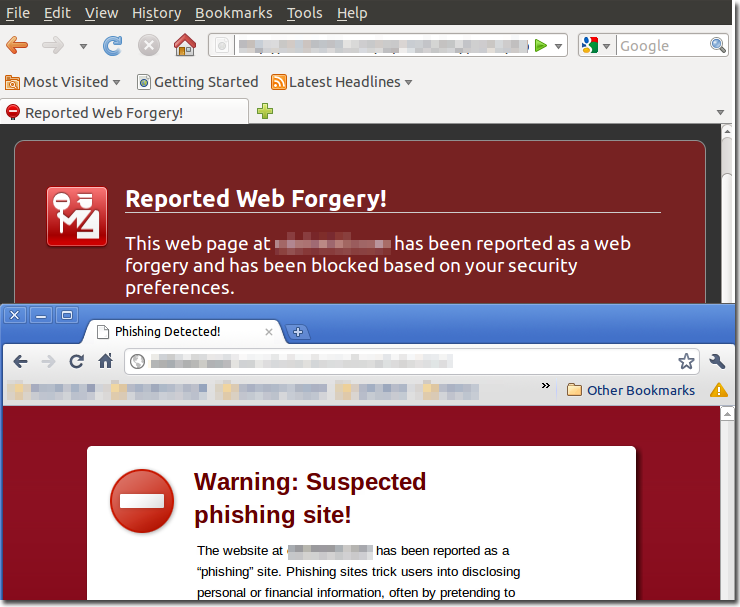
Studying ” ethical hacking has given me an upper hand on the hackers.” Hackers are people who learn stuff on their own. But we on the other hand are taught how to use stuff for saftey purposes.
One of our tools are security companies like RSA Anti-Fraud Command Center. Hackers basically inject their script code and upload it on FREE SCRIPT WEBSITES. Most developers are unaware of that fact and to save their time they download such scripts and upload it to their website. These script create automatic login pages that redirect to other websites. These are called Fraud Pages.
These pages should be reported immediately to RSA Anti-Fraud Command Center. What they do is they send an email just like below :
”
Dear Team
It appears that your website ******.com has been hacked by a fraudster. It is now hosting a phishing attack against RBC.
Please remove the fraudulent folders/files as soon as possible and secure your website as it has been compromised.
Please note that it is possible that the fraudulent content is embedded in your website’s legitimate files.
http://www.*****.com/sites/Library_/redirect.php
In addition, please send us any source files of the attack.
Please let us know if you have any questions or need further assistance. We appreciate your cooperation.
Best Regards,
RSA Anti-Fraud Command Center
RSA, The Security Division of EMC
US Phone: +1-866-408-7525
Email: afcc@rsa.com
For more information about RSA’s AFCC
http://www.rsa.com/node.aspx?id=3348
“
to the concerned authority and tell them to remove it. This is a very good way since they allow the developer to correct his mistake and be careful for next time.
You can see the contact information in their email and whenever you come across any such illegal page.
Just report it !!
Help us keep web clean and safe for upcoming generation !!
Note : This blog was written by a friend.
http://qambarraza.com/certified-ethical-hacking-ceh/what-is-a-fraud-page-or-phishing-site.html

This is very good link to learn with examples about PHP fuction :
http://php.net/manual/en/function.mail.php