

Archive for the ‘TEChNoLoGY’ Category

Oracle : Seven Deadly Habits Of A DBA And How To Cure Them

June 20th, 2013, posted in Oracle
Share

Seven Deadly Habits Of A DBA And How To Cure Them,oracle,dba,cure,sin,mistake,issues,Seven Deadly Habits of a DBA and how to cure them

Calling widespread bad habits in database administration “deadly” may seem extreme. However, when you consider the critical nature of most data, and just how damaging data loss or corruption can be to a corporation, “deadly” seems pretty dead-on.
Although these habits are distressingly common among DBAs, they are curable with some shrewd management intervention. What follows is a list of the seven habits we consider the deadliest, along with some ideas on how to eliminate them.

Habit #1. THE LEAP OF FAITH: “We have faith in our backup.”
Blind faith can be endearing, but not when it comes backing up a database. Backups should be trusted only as far as they have been tested and verified.
Cures:

  • Have your DBAs verify that the backup is succeeding regularly, preferably using a script that notifies them if there’s an issue.
  • Maintain a backup to your backup. DBAs should always use at least two backup methods. A common technique is to use those old-fashioned exports as a backup to the online backups.
  • Resource test recoveries as often as is practical. An early sign that your DBA team is either overworked or not prioritizing correctly is having a quarter go by without a test recovery. Test recoveries confirm that your backup strategy is on track, while allowing your team to practice recovery activities so they can handle them effectively when the time comes.

Habit #2. GREAT EXPECTATIONS: “It will work the way we expect it to. Let’s go ahead.”
Although not user friendly in the traditional sense, Oracle is very power-user friendly— once you’ve been working with it for a while, you develop an instinct for the way things “should” work. Although that instinct is often right, one of the most dangerous habits any DBA can possess is an assumption that Oracle will “just work” the way it should.
Cures:

  • Inculcate a “practice, practice, practice” mentality throughout the organization. DBAs need to rehearse activities in the safe sandbox of a test environment that’s designed to closely mimic the behaviour of the production system. The organization needs to allow the time and money for them to do so.
  • Pair inexperienced DBAs with senior ones whenever possible—or take them under your own wing. New DBAs tend to be fearless, but learning from someone else’s experience can help instill some much needed paranoia.
  • Review the plans for everything. It’s amazing how often DBAs say, “I’ve done that a hundred times, I don’t need a plan.” If they’re heading into execution mode, they absolutely need a plan.

Habit #3. LAISSEZ-FAIRE ADMINISTRATION: “We don’t need to monitor the system. The users always let us know when something’s wrong.”
If you depend on the users to inform the DBA team that there’s a problem, it may already be too late.
Cures:

  • Install availability and performance monitoring systems so that issues are identified and resolved before they cause service-affecting failures.
  • Avoid post-release software issues by working with developers and testers to ensure that all production-ready software is stable and high-performance.

Habit #4. THE MEMORY TEST: “We’ll remember how this happened, and what we did to get things going again.”

It may seem impossible that a DBA team would forget a massive procedure that took them weeks to get right, and yet it happens all the time. In order to prevent recurring mistakes and take advantage of gained experience, documentation is essential.

Cures:

  • Require that your DBAs maintain a comprehensive documentation library and activity diary, including a significant level of rationale, syntax, and workflow detail.
  • Provide your team with groupware on your intranet so that these documents become searchable in an emergency.
  • Enforce the discipline of documentation and check it periodically. Ask your DBAs: When was this tablespace created, by whom, and with what SQL? What tasks were performed on a particular day? If they can’t answer quickly, you’ll know they’ve gone back to relying on memory.

Habit #5. THE BLAME GAME: “Don’t look at me, it’s the developer’s fault that SQL is in production”

Some DBAs have a real “us versus them” mentality when it comes to developers in their organization. They see themselves not as facilitators helping the developers develop quality code from a database standpoint, but rather as guardians who prevent poor-quality code from making it into production. This might seem like semantics, but a confrontational relationship between developers and DBAs results in a lack of developer initiative and significant slowdowns in release cycles.

Cures:

  • Select DBAs who understand it’s their responsibility to work as an integrated team with the developers they support.
  • Cultivate a team attitude by structuring continuous DBA involvement in every project rather than at review milestones.
  • Consider assigning an individual DBA in a developer support role. If it’s clearly in the job description, there’s more motivation to do it well.

Habit #6. THE SOLO ACT: “I know what I’m doing and don’t need any help.”

Database administration is increasingly complex and even the most senior DBAs can’t possibly know every last detail. DBAs have different specialties, which need to be culled and utilized. When DBAs feel like they know, or should know, everything, they don’t ask questions and miss out on valuable knowledge they could be gaining from others.
Cures:

  • Foster a teamwork culture where it’s acceptable for DBAs to admit they don’t know the answer and to ask for help.
  • Encourage your DBAs to seek out an outside peer group as a forum for brainstorming and testing their assumptions. No single person can match the expertise and experience of even a relatively small group.
  • Provide a safety net of tech resources such as reference materials, courses, and outside experts or consultants on call.

Habit #7. TECHNO-LUST: “Things would work so much better if only we had…”
DBAs are often on top of the latest technology, which can help them do a superlative job. But when the desire for new technology causes DBAs to recommend unnecessary hardware purchases or software add-ons, costs tend to skyrocket quickly—as do problems.

Cures:

  • Never upgrade your hardware infrastructure without first exhausting all tuning opportunities. Remember, ten years ago enormous enterprises were run on servers one-tenth the capacity—all thanks to necessity and skill.
  • Never consent to using advanced or new features until you’re well aware of the ongoing maintenance commitment and resulting costs.
  • Watch out for DBA support software that presents friendly GUI interfaces for difficult tasks. This type of interface allows a beginner DBA to act as an intermediate DBA under certain circumstances, but simultaneously prevents that beginner from learning the actual skills behind the tasks. Moreover, these tools tend to hide real risks from the DBA, making potentially damaging activities as easy as point-and-click.Whether it takes a twelve-step program or one tiny adjustment, all of these deadly DBA habits can be kicked. Of course, the first step is recognizing the problem. By starting with this list and doing a careful inventory of the successes and failures in your team’s database administration, you’ll be well on your way to finding a cure
Main url: http://appsdbaclass.blogspot.com/2011/10/seven-deadly-habits-of-dbaand-how-to.html?utm_source=feedburner&utm_medium=email&utm_campaign=Feed%3A+OracleAppsDbaoracleEbsR12+%28Oracle+Apps+DBA+%28Oracle+EBS+R12%29%29
Share

Learn HTML, Practice and Test on W3C

June 15th, 2013, posted in Programming
Share

Learn HTML, Practice and Test on W3C,Learn HTML, Practice,Test ,W3C,

W3Schools HTML Quiz

HTML based tutorial can be found on

http://www.w3schools.com/html/

i went through that URL advised to me by Dr. Ralph Moseley, module leader of Internet Programming at Middlesex University, London.  Since i had some previous hands-on experince with this language i was able to get the perfect score.

You guys should try it too. Since we would be dealing with this language more frequently now..

Note : This blog was written by a friend.
http://qambarraza.com/

Share

Compiling PL/SQL and using TOAD to write stored procedures

June 12th, 2013, posted in Oracle
Share

Compiling PL/SQL and using TOAD to write stored procedures :


  • PL/SQL compiler (version?) is quite stupid: ” Missing a semi-colon flags a line several lines below where the actual semi-colon is missing.”  Likewise for a missing single quote character
  • To escape the single quote character, double it.”  Therefore four consecutive single quotes is a string consisting of a single quote
  • When the compiler reports a compiler error at a certain line, that line # is relative to the start of the Body of stored procedure (assuming you are editing the Body and not the Spec)
  • To compile and “save” your stored procedure to the Oracle server in TOAD, be sure to use the “Execute As Script” button () in the Editor.  Do NOT use the “Execute/compile statement at caret” button.

    link : http://buildingaircastles.blogspot.com/2010/11/compiling-plsql-and-using-toad-to-write.html

  • Share

    Difference Between Http And Https

    June 8th, 2013, posted in TEChNoLoGY
    Share
    Difference Between Http And Https,Difference Between,Http,Https,Difference,Between Http And Https,Between,Difference  Http And Https,https-monitoring,http_vs_https
    HTTP stands for Hyper Text Transport Protocol, which is just a fancy way of saying it’s a protocol (a language, in a manner of speaking) for information to be passed back and forth between web servers and clients. This all is of no use. The important thing is the letter S which makes the difference between HTTP and HTTPS. The S (big surprise) stands for “Secure“.Difference Between Http And Https,Difference Between,Http,Https,Difference,Between Http And Https,Between,Difference Http And Https,https-monitoring,http_vs_https
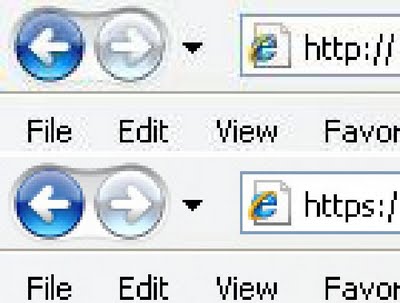
    If you visit a website or webpage, and look at the address in the web browser, it will likely begin with the following: http://. This means that the website is talking to your browser using the regular ‘unsecure’ language. In other words, it is possible for someone to eavesdrop on your computer’s conversation with the website. If you fill out a form on the website, someone might see the information you send to that site.
    This is why you never ever enter your credit card number in an “HTTP” website..!!
    But if the web address begins with https://, that basically means your computer is talking to the website in a secure code that no one can eavesdrop on.
    If a website ever asks you to enter your credit card information, you should automatically look to see if the web address begins with https://. If it doesn’t, there’s no way you’re going to enter sensitive information like a credit card number..!!
    You won’t see anything different between the HTTP and HTTPS sites. There are only two differences you’ll notice:
    • The web address (at the top of your web browser) will begin with https instead of http.
    • Your web browser may give you a message something like, You are about to view pages over a secure connection.
    There are some other primary differences between http and https, however, beginning with the default port, which is 80 for http and 443 for https. Https works by transmitting normal http interactions through an encrypted system, so that in theory, the information cannot be accessed by any party other than the client and end server. There are two common types of encryption layers: Transport Layer Security (TLS) and Secure Sockets Layer (SSL), both of which encode the data records being exchanged.
    Difference Between Http And Https,Difference Between,Http,Https,Difference,Between Http And Https,Between,Difference Http And Https,https-monitoring,http_vs_https,Difference Between HTTP and HTTPS 2When using an https connection, the server responds to the initial connection by offering a list of encryption methods it supports. In response, the client selects a connection method, and the client and server exchange certificates to authenticate their identities. After this is done, both parties exchange the encrypted information after ensuring that both are using the same key, and the connection is closed. In order to host https connections, a server must have a public key certificate, which embeds key information with a verification of the key owner’s identity. Most certificates are verified by a third party so that clients are assured that the key is secure.
    Https is used in many situations, such as log-in pages for banking, forms, corporate log ons, and other applications in which data needs to be secure. However, if not implemented properly, https is not infallible, and therefore it is extremely important for end users to be wary about accepting questionable certificates and cautious with their personal information while using the Internet.
    Share

    Using PHP To Keep Copyright Footer Year Current

    June 6th, 2013, posted in PHP
    Share

    Using PHP To Keep Copyright Footer Year Current,using php,copyright,current year,year,php coding,copyright-symbolUsing PHP to keep Copyright footer year current

    Here’s the start of the Web Development series as part of the new addition to my Blog, including code tutorials and code snippets free for use. This article includes a small snippet of code that you can add to your site to ensure your footer PHP date is always at the current year. I’m sure the eagle-eyed users of the web are still seeing sites stuck on ‘© 2011 Copyright’ – so here’s a few easy ways to overcome it, forever !!

    First thing you’ll need is a PHP web page. If your server handles PHP, then use the code below to insert into your website’s footer. Please note this will only work with PHP web pages not static HTML. Read more on PHP here.

    Single Year Display

    This literally just pulls in the current date using server technology, and is really easy to implement instead of manually typing the year (and forgetting about it).

    &copy; <?php echo date("Y"); ?> Copyright.
    Gives you: © 2013 Copyright.


    Website Start and Current Year

    Little longer PHP snippet – in which you set the date your website was launched, and let the PHP automatically keep the current year up to date. See below and example for details : Using PHP To Keep Copyright Footer Year Current,using php,copyright,current year,year,php coding,copyrightdate,copyright date,copyright

    &copy; <?php
    $copyYear = 2008; // Set your website start date
    $curYear = date('Y'); // Keeps the second year updated
    echo $copyYear . (($copyYear != $curYear) ? '-' . $curYear : '');
    ?> Copyright.
    Gives you: © 2008-2013 Copyright.
    Share