Archive for the ‘TEChNoLoGY’ Category

Now I Know How Shazam Works

March 14th, 2012, posted in MOBiLE
Share
There is a cool service called Shazam, which take a short sample of music, and identifies the song.  There are couple ways to use it, but one of the more convenient is to install their free app onto an iPhone.  Just hit the “tag now” button, hold the phone’s mic up to a speaker, and it will usually identify the song and provide artist information, as well as a link to purchase the album.

What is so remarkable about the service, is that it works on very obscure songs and will do so even with extraneous background noise.  I’ve gotten it to work sitting down in a crowded coffee shop and pizzeria.
So I was curious how it worked, and luckily there is a paper written by one of the developers explaining just that.  Of course they leave out some of the details, but the basic idea is exactly what you would expect:  it relies on fingerprinting music based on the spectrogram.
Here are the basic steps:
1. Beforehand, Shazam fingerprints a comprehensive catalog of music, and stores the fingerprints in a database.
2. A user “tags” a song they hear, which fingerprints a 10 second sample of audio.
3. The Shazam app uploads the fingerprint to Shazam’s service, which runs a search for a matching fingerprint in their database.
4. If a match is found, the song info is returned to the user, otherwise an error is returned.
Here’s how the fingerprinting works:
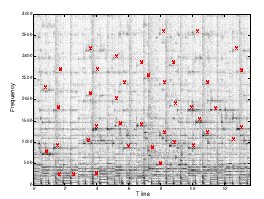
You can think of any piece of music as a time-frequency graph called a spectrogram.  On one axis is time, on another is frequency, and on the 3rd is intensity.  Each point on the graph represents the intensity of a given frequency at a specific point in time. Assuming time is on the x-axis and frequency is on the y-axis, a horizontal line would represent a continuous pure tone and a vertical line would represent an instantaneous burst of white noise.  Here’s one example of how a song might look:
There is a cool service called Shazam, which take a short sample of music, and identifies the song.  There are couple ways to use it, but one of the more convenient is to install their free app onto an iPhone.  Just hit the “tag now” button, hold the phone’s mic up to a speaker, and it will usually identify the song and provide artist information, as well as a link to purchase the album.
What is so remarkable about the service, is that it works on very obscure songs and will do so even with extraneous background noise.  I’ve gotten it to work sitting down in a crowded coffee shop and pizzeria.
So I was curious how it worked, and luckily there is a paper written by one of the developers explaining just that.  Of course they leave out some of the details, but the basic idea is exactly what you would expect:  it relies on fingerprinting music based on the spectrogram.
Here are the basic steps:
1. Beforehand, Shazam fingerprints a comprehensive catalog of music, and stores the fingerprints in a database.2. A user “tags” a song they hear, which fingerprints a 10 second sample of audio.3. The Shazam app uploads the fingerprint to Shazam’s service, which runs a search for a matching fingerprint in their database.4. If a match is found, the song info is returned to the user, otherwise an error is returned.

Here’s how the fingerprinting works:
You can think of any piece of music as a time-frequency graph called a spectrogram.  On one axis is time, on another is frequency, and on the 3rd is intensity.  Each point on the graph represents the intensity of a given frequency at a specific point in time. Assuming time is on the x-axis and frequency is on the y-axis, a horizontal line would represent a continuous pure tone and a vertical line would represent an instantaneous burst of white noise.  Here’s one example of how a song might look:

shazam-spectrogram

Spectrogram of a song sample with peak intensities marked in red. Wang, Avery Li-Chun. An Industrial-Strength Audio Search Algorithm. Shazam Entertainment, 2003.Â

The Shazam algorithm fingerprints a song by generating this 3d graph, and identifying frequencies of “peak intensity.”  For each of these peak points it keeps track of the frequency and the amount of time from the beginning of the track.  Based on the paper’s examples, I’m guessing they find about 3 of these points per second. [Update: A commenter below notes that in his own implementation he needed more like 30 points/sec.]  So an example of a fingerprint  for a 10 seconds sample might be :


Frequency in Hz Time in seconds
823.44 1.054
1892.31 1.321
712.84 1.703
. . . . . .
819.71 9.943

Shazam builds their fingerprint catalog out as a hash table, where the key is the frequency.  When Shazam receives a fingerprint like the one above, it uses the first key (in this case 823.44), and it searches for all matching songs.  Their hash table might look like the following:


Frequency in Hz Time in seconds, song information
823.43 53.352, “Song A” by Artist 1
823.44 34.678, “Song B” by Artist 2
823.45 108.65, “Song C’ by Artist 3
. . . . . .
1892.31 34.945, “Song B” by Artist 2

[Some extra detail: They do not just mark a single point in the spectrogram, rather they mark a pair of points: the “peak intensity” plus a second “anchor point”.  So their key is not just a single frequency, it is a hash of the frequencies of both points.  This leads to less hash collisions which in turn speeds up catalog searching by several orders of magnitude by allowing them to take greater advantage of the table’s constant (O(1)) look-up time.  There’s many interesting things to say about hashing, but I’m not going to go into them here, so just read around the links in this paragraph if you’re interested.]

Top graph: Songs and sample have many frequency matches, but they do not align in time, so there is no match. Bottom Graph: frequency matches occur at the same time, so the song and sample are a match. Wang, Avery Li-Chun. An Industrial-Strength Audio Search Algorithm. Shazam Entertainment, 2003. Fig. 2B.

If a specific song is hit multiple times (based on examples in the paper I think it needs about 1 frequency hit per second), it then checks to see if these frequencies correspond in time.  They actually have a clever way of doing this  They create a 2d plot of frequency hits, on one axis is the time from the beginning of the track those frequencies appear in the song, on the other axis is the time those frequencies appear in the sample.  If there is a temporal relation between the sets of points, then the points will align along a diagonal.  They use another signal processing method to find this line, and if it exists with some certainty, then they label the song a match.

Share

An Interview Of Jehan Ara, Preident P@SHA

February 22nd, 2012, posted in Ink On PAPER, PAKiSTAN, POEPLes, TEChNoLoGY
Share

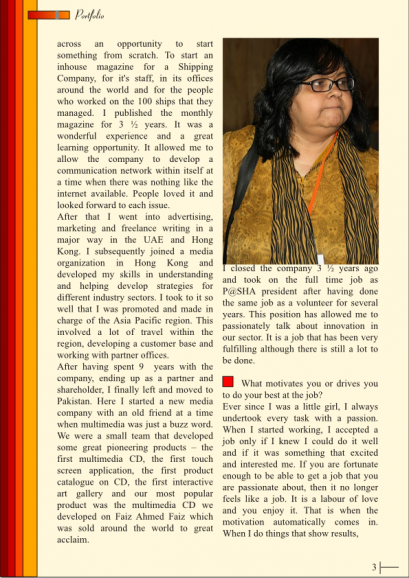
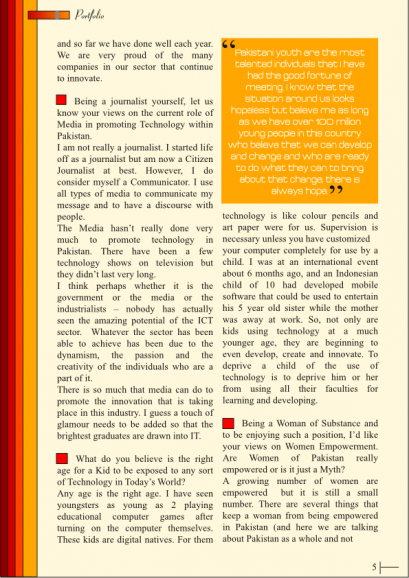
jehan-page1

jehan-page2

jehan-page3

jehan-page4

jehan-page5

Jehan Ara-page6

Share

A Developer

November 15th, 2011, posted in COMiCS, TEChNoLoGY
Share

scarface developer

Share

How to Plan Your Finances‏

September 28th, 2011, posted in MESSAGEs, TEChNoLoGY
Share

finance scarface

How to Plan your Finances is one of the important components of having a good life. Whether you have a smaller income or a better one, you will truly save yourself from a lot of worries and trouble if you know how to manage your finances well. Here are 8 tips for you guys, to manage your finances more effectively.

(1) Prioritize:

Set priorities carefully plan your finances. Know your wants and your needs. Do not be confused with what you need and what you want. If you want to make big purchases like getting a home or a car, careful planning will be your key to make it a little easier.

(2) Save:

Make it a habit to save and include savings on your budget. Allot a percentage of your income as your savings. Having a good amount of savings regularly always helps you face your future with confidence and will save you from a lot of financial worries.

(3) Budgeting:

Having a plan on spending is very much helpful for you to see how much you can afford to spend in a month. Make a list when you go to the grocery or when you go shopping and keep reminding yourself to stick to the list. Sticking to your budget today is definitely one good way of being free from financial worries later.

(4) Set Limits:

Do not spend more than what you earn. Do not splurge on spending with your credit card if it is not clear where you will get payment for it the next month. Thinking about spending a lot today hoping you will get a job the next month is a no-no.

(5) Manage your debts:

Pay your credit card promptly and do not go over your credit limit. Late payments and maxing out your credit cards will cost you expensively. When credit card companies are giving you lower interest rates, you might end up having to pay for higher fees. Late payments and overspending will likely stain your credit report in the end as well. Knowing how to manage your debts is indeed one huge step in learning how to manage your finances.

(6) Keep In Consideration:

If you are borrowing money, making investments, or renting anything, always be informed with interest rates and the terms and conditions. When dealing financial transactions, it is always wise to read the fine prints. This way you will save yourself from financial troubles later on.

(7) Invest:

If you want to invest your money, be wise. Know your market, know the feasibility and success rate of your investment. Especially these days where the economy is down, you also have to be careful where to invest your money. Find and study the opportunities with lower risks.
Think your way out of debts and overspending. Indeed, it may be difficult for some to overcome the habit of overspending and splurging on many things in life. If you are facing the same situation, try to train the power of your mind to manage your thoughts on spending. Resist the urge to do unplanned spending by waiting for a day or two. In the end you might find out you don’t exactly need it.

(8) Unplanned spending:

And think before spending on something unplanned.

Hope guys! these tips will help a lot in your practical life.  Please leave your thoughts in form of comments.

Share

Convert Your CVS File Into MySQL File Online For Free

September 23rd, 2011, posted in TEChNoLoGY
Share
These are a Great Online Tools and I have used it in the past and it has worked well for me.From these free online tools you can convert your CSV format file into MySQL format. And best part is its free and you dont have to do anything. All you have to do is upload your file through browser and than you will get the MySQL query or MySQL file and just use it.
Its just sitting back and enjoyin the movie type thing…..
So, without any further delay here are the best links :
Share