
SELECT ot.user_profile_option_name,
TO_CHAR (v.level_id) level_id,
DECODE (v.level_id,
10001, ‘Site’,
10002, ‘Application’,
10003, ‘Responsibility’,
10004, ‘User ID’,
v.level_id)
level_meaning,
DECODE (v.level_id,
10001, ‘Site’,
10002, apl.application_name,
10003, frt.responsibility_name,
10004, u.user_name,
v.level_id)
level_name,
v.profile_option_value,
o.profile_option_name,
v.creation_date value_creation_date,
v.created_by value_created_by,
v.last_update_date value_last_updated_date,
v.last_updated_by value_last_updated_by
FROM applsys.fnd_profile_options_tl ot,
applsys.fnd_profile_options o,
applsys.fnd_profile_option_values v,
applsys.fnd_responsibility_tl frt,
apps.fnd_application_vl apl,
fnd_user u
WHERE v.level_value = frt.responsibility_id(+)
AND v.profile_option_id = o.profile_option_id
AND o.profile_option_name = ot.profile_option_name
AND ot.language = ‘US’
AND NVL (frt.language, ‘US’) = ‘US’
AND v.level_value = apl.application_id(+)
AND u.user_id(+) = v.level_value
ORDER BY ot.user_profile_option_name,
v.level_id,
DECODE (v.level_id,
10001, ‘Site’,
10002, ‘Application’,
10003, frt.responsibility_name,
10004, u.user_name,
v.level_id);

Archive for the ‘Oracle Queries’ Category
Query To Get The Profile Option Configurations
February 20th, 2022, posted in Oracle EBS Application, Oracle QueriesQuery To Get The Front End URL From Backend
February 6th, 2022, posted in Oracle EBS Application, Oracle Queries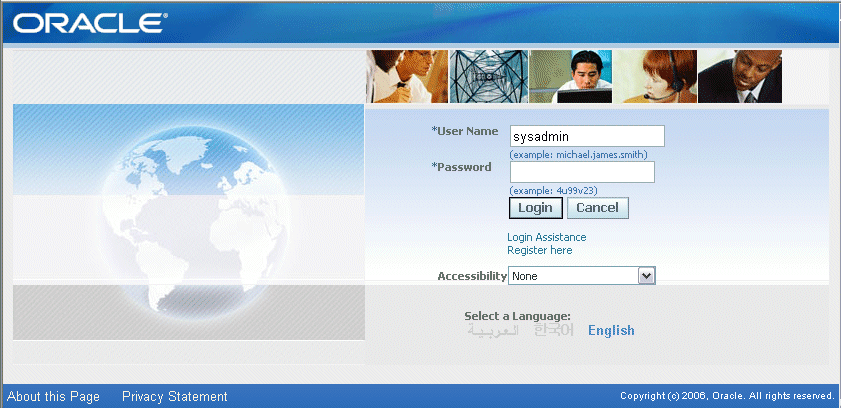
Current Login Users List In Oracle EBS R12 11i
January 23rd, 2022, posted in Oracle EBS Application, Oracle QueriesRun the following query to find out who are the Oracle Apps Users currently Logged into the application.
  SELECT DISTINCT icx.session_id,
                  icx.user_id,
                  fu.user_name,
                  fu.description
    FROM icx_sessions icx, fnd_user fu
   WHERE     disabled_flag != 'Y'
         AND icx.pseudo_flag = 'N'
         AND (last_connect +
              DECODE (fnd_profile.VALUE ('ICX_SESSION_TIMEOUT'),
                      NULL, limit_time,
                      0   , limit_time,
                      fnd_profile.VALUE ('ICX_SESSION_TIMEOUT')/60) / 24) > SYSDATE
         AND icx.counter < limit_connects
         AND icx.user_id = fu.user_id;
PLS-00201: identifier UTL MAIL.SEND must be declared
January 9th, 2022, posted in Oracle QueriesPLS-00201: identifier ‘UTL_MAIL.SEND’ must be declared
During execution of the package use UTL Mail package for send the mail may give the error PLS-00201. It may be caused due to in configured of UTL Mail package in the database. You may configure the UTL Mail package with following script:
Error:
ERROR at line 1:

ORA-06550: line 1, column 7:

PLS-00201: identifier 'UTL_MAIL.SEND' must be declared

ORA-06550: line 1, column 7:

PL/SQL: Statement ignored
Solution:
1. Set the Oracle Home Environment Variable
Set ORACLE_HOME=D:\Oracle\12.1.0\dbhome_1

set PATH=%ORACLE_HOME%\bin;%PATH%
2. Connect with sqlplus / as sysdba
@?\rdbms\admin\utlmail.sql;

@?\rdbms\admin\prvtmail.plb;
3. Set up the Parameter SMTP server.
ALTER SYSTEM SET smtp_out_server='address:25' SCOPE=BOTH;
4. Grant the user with required permission.
GRANT execute ON utl_mail TO NEWUSER;
ORA-38760: This database instance failed to turn on flashback database
October 24th, 2021, posted in Oracle QueriesError : Starting recover at 24-APR-18 using target database control file instead of recovery catalog allocated channel: ORA_DISK_1 channel ORA_DISK_1: SID=1072 device type=DISK starting media recovery media recovery failed RMAN-00571: =========================================================== RMAN-00569: =============== ERROR MESSAGE STACK FOLLOWS =============== RMAN-00571: =========================================================== RMAN-03002: failure of recover command at 04/24/2018 14:54:07 ORA-00283: recovery session canceled due to errors RMAN-11003: failure during parse/execution of SQL statement: alter database recover if needed start until cancel using backup controlfile ORA-00283: recovery session canceled due to errors ORA-38760: This database instance failed to turn on flashback database
Cause :
Database was in flashback mode.
Solution :
trun off flashback mode and rerun recovery.
SQL> alter database flashback off;
Database altered.

SQL>

RMAN> run
{
set until sequence 576;
recover database;
}2> 3> 4> 5>

executing command: SET until clause

Starting recover at 24-APR-18
using target database control file instead of recovery catalog
allocated channel: ORA_DISK_1
channel ORA_DISK_1: SID=1072 device type=DISK

starting media recovery

channel ORA_DISK_1: starting archived log restore to default destination
channel ORA_DISK_1: restoring archived log
archived log thread=1 sequence=573
channel ORA_DISK_1: restoring archived log
archived log thread=1 sequence=574
channel ORA_DISK_1: restoring archived log
archived log thread=1 sequence=575
channel ORA_DISK_1: reading from backup piece /d02/dbbackup/RMAN_backup1/RMAN_BKPMon_23Apr18/ar_974238549_2165_1
channel ORA_DISK_1: errors found reading piece handle=/d02/dbbackup/RMAN_backup1/RMAN_BKPMon_23Apr18/ar_974238549_2165_1
channel ORA_DISK_1: failover to piece handle=/d01/oracln/backup/RMAN_BKPMon_23Apr18/ar_974238549_2165_1 tag=TAG20180423T211704
channel ORA_DISK_1: restored backup piece 1
channel ORA_DISK_1: restore complete, elapsed time: 00:02:25
archived log file name=/d01/oracln/data/archive1_573_970862557.dbf thread=1 sequence=573
archived log file name=/d01/oracln/data/archive1_574_970862557.dbf thread=1 sequence=574
archived log file name=/d01/oracln/data/archive1_575_970862557.dbf thread=1 sequence=575
media recovery complete, elapsed time: 00:00:27
Finished recover at 24-APR-18

RMAN>
Recovery Manager complete.