
Archive for the ‘TEChNoLoGY’ Category

Forms : Could not reserve record (2 tries). Keep trying

August 5th, 2015, posted in Oracle Queries
Share

Second Way : 

Locking And Unlocking Tables In Oracle,Locking Tables In Oracle,Unlocking Tables In Oracle,Tables In Oracle,Oracle DBA,DBA,APPS DBA,ORA DBA,Application DBA,Database DBA,Oracle Tricks,Locking Query in Oracle,Unlocking Query in DBA,Oracle Forms Error,Oracle Application Forms Error,Forms : Could not reserve record (2 tries). Keep trying,FRM-40501,FRM-40501: COULD NOT RESERVE RECORD [2 TRIES]; ORACLE APPS RECORD-LOCKING

One of your end users attempts to modify a record, and the user is prompted with a dialog box asking “Could not reserve record [2 tries]. Keep trying?” The user answers “yes” and after being prompted a few more times the user gives up. Ultimately the user gets a “FRM-40501: ORACLE error: unable to reserve record for update or delete.” When this happens it’s nice to have some scripts ready to go to quickly diagnose what is causing the contention, so appropriate action can be taken. The forms don’t wait to the obtain the lock for very long, so it’s a little more difficult to determine the blocking lock. This first script provides a listing of the possible locks and some relevant E-Business Suite information for digging further.


Query 1:

select vs.audsid audsid,
 locks.sid sid,
 vs.serial# serial#,
 vs.username oracle_user,
 vs.osuser os_user,
 vs.program program,
 vs.module module,
 vs.action action,
 vs.process process,
 decode(locks.lmode,
       1, NULL,
       2, 'Row Share',
       3, 'Row Exclusive',
       4, 'Share',
       5, 'Share Row Exclusive',
       6, 'Exclusive', 'None') lock_mode_held,
 decode(locks.request,
       1, NULL,
       2, 'Row Share',
       3, 'Row Exclusive',
       4, 'Share',
       5, 'Share Row Exclusive',
       6, 'Exclusive', 'None') lock_mode_requested,
 decode(locks.type,
       'MR', 'Media Recovery',
       'RT', 'Redo Thread',
       'UN', 'User Name',
       'TX', 'Transaction',
       'TM', 'DML',
       'UL', 'PL/SQL User Lock',
       'DX', 'Distributed Xaction',
       'CF', 'Control File',
       'IS', 'Instance State',
       'FS', 'File Set',
       'IR', 'Instance Recovery',
       'ST', 'Disk Space Transaction',
       'TS', 'Temp Segment',
       'IV', 'Library Cache Invalidation',
       'LS', 'Log Start or Log Switch',
       'RW', 'Row Wait',
       'SQ', 'Sequence Number',
       'TE', 'Extend Table',
       'TT', 'Temp Table',
       locks.type) lock_type,
 objs.owner object_owner,
 objs.object_name object_name,
 objs.object_type object_type,
 round( locks.ctime/60, 2 ) lock_time_in_minutes
from v$session vs,
         v$lock locks,
         dba_objects objs,
         dba_tables tbls
where locks.id1 = objs.object_id
 and vs.sid = locks.sid
 and objs.owner = tbls.owner
 and objs.object_name =  tbls.table_name
 and objs.owner != 'SYS'
 and locks.type = 'TM'
 order by lock_time_in_minutes;

To determine the table(s) the form is trying to lock, use the Help->Record History menu option; this provides the base table or view for the form block.

Look through the result set from Query 1 for an object_name (typically a table or view) in the same vicinity as your table or view. If you have a form block based on a view, it may be helpful to look up the tables behind the view. If the action starts with an ‘FRM:%’, then another forms session has the lock.

One thing to note: You’ll often see the same user blocking themselves. This could be a training issue, or it could be due to a previous forms session that crashed, but the f60webmx process did not die. If this is the case, you can kill the application server OS process (based on the process value in Query 1).

Query 2 provides further details for results in Query 1 that are forms sessions – simply plop in the AUDSID from Query 1.

Query 2:

SELECT
        F.AUDSID,
        S.SID,
        S.SERIAL#,
        L.USER_ID,
        L.TERMINAL_ID,
        L.LOGIN_NAME,
        R.RESP_APPL_ID,
        R.RESPONSIBILITY_ID,
        F.FORM_ID,
        F.FORM_APPL_ID,
        L.PID,
        L.PROCESS_SPID,
        NVL(F.START_TIME, NVL(R.START_TIME, L.START_TIME)) TIME,
        USR.USER_NAME,
        a.application_name,
        RSP.RESPONSIBILITY_NAME,
        FRM.USER_FORM_NAME,
        s.program,
        s.action,
        s.module,
        s.state,
        s.event,
        s.wait_class,
        s.seconds_in_wait
FROM FND_RESPONSIBILITY_TL RSP,
        FND_FORM_TL FRM,
        FND_USER USR,
        FND_LOGINS L,
        FND_LOGIN_RESPONSIBILITIES R,
        FND_LOGIN_RESP_FORMS F,
        GV$SESSION S,
        fnd_application_tl A
WHERE F.AUDSID = &ENTER_FORM_AUDSID
AND R.LOGIN_ID = F.LOGIN_ID
AND R.LOGIN_RESP_ID = F.LOGIN_RESP_ID
AND L.LOGIN_ID = R.LOGIN_ID
AND L.END_TIME IS NULL
AND R.END_TIME IS NULL
AND F.END_TIME IS NULL
AND L.USER_ID = USR.USER_ID
AND R.RESPONSIBILITY_ID = RSP.RESPONSIBILITY_ID
AND R.RESP_APPL_ID = RSP.APPLICATION_ID
AND RSP.LANGUAGE = 'US'
AND RSP.application_id = a.application_id
AND a.language = 'US'
AND F.FORM_ID = FRM.FORM_ID
AND F.FORM_APPL_ID = FRM.APPLICATION_ID
AND FRM.LANGUAGE = 'US'
AND F.AUDSID = S.AUDSID;

If a concurrent program holds the lock, Query 3 provides a bit more information. Here we can see the user, concurrent program, how long it’s been running and log/output files.

Query 3:

select fcr.request_id,
         fcr.requested_by,
         fu.user_name,
         fcr.program_application_id,
         fcr.concurrent_program_id,
         fcr.actual_start_date,
         fat.application_name,
         fcp.concurrent_program_name,
         fcpt.user_concurrent_program_name,
         fcr.description,
         fcr.logfile_node_name,
         fcr.outfile_name,
         fcr.logfile_name,
         fcr.completion_text,
         fcr.parent_request_id,
         vs.process,
         vs.state,
         vs.event,
         vs.wait_class,
         vs.seconds_in_wait
         from v$session vs,
              fnd_concurrent_requests fcr,
              fnd_application_tl fat,
              fnd_concurrent_programs fcp,
              fnd_concurrent_programs_tl fcpt,
              fnd_user fu
         where vs.audsid =  &ENTER_CONC_PROCESS_AUDSID
         and vs.process = fcr.os_process_id
         and fcr.actual_completion_date is null
         and fcr.program_application_id = fat.application_id
         and fcr.program_application_id = fcp.application_id
         and fcr.concurrent_program_id = fcp.concurrent_program_id
         and fcr.program_application_id = fcpt.application_id
         and fcr.concurrent_program_id = fcpt.concurrent_program_id
         and fcr.requested_by = fu.user_id;

This should be enough information to chase down the offender (someone out for coffee and not save that latest change first?) or possibly even point to a process that needs attention.


*********************************************************************************************************************
Also Check : http://aliimmam.com/locking-and-unlocking-tables-in-oracle/
Also Check : http://aliimmam.com/lock-tables-and-unlock-tables-syntax/
Note : Please not do make backups before using these queries and also confirm them yourself or by aother means as well. Source : http://dwhlaureate.blogspot.com/2014/07/how-to-unlock-locked-table-in-oracle.html

*********************************************************************************************************************

Share

Locking And Unlocking Tables In Oracle

August 4th, 2015, posted in Oracle Queries
Share

Locking And Unlocking Tables In Oracle,Locking Tables In Oracle,Unlocking Tables In Oracle,Tables In Oracle,Oracle DBA,DBA,APPS DBA,ORA DBA,Application DBA,Database DBA,Oracle Tricks,Locking Query in Oracle,Unlocking Query in DBA,Oracle Forms Error,Oracle Application Forms Error,Forms : Could not reserve record (2 tries). Keep trying,FRM-40501,FRM-40501: COULD NOT RESERVE RECORD [2 TRIES]; ORACLE APPS RECORD-LOCKING

One Way : 

Oracle puts locks while performing any DDL or DML operation on oracle tables.When table locks is present on any tables in Oracle we cannot run DDL on those tables.

Some of the locks automatically set by oracle are RS and RX Locks.

SELECT … FOR UPDATE execution results in RS (row share) table lock. When you execute an INSERT, UPDATE or DELETE Oracle puts RX (row exclusive) table lock.

We have to kill the session which holds the lock in order to execute further operations. Follow the below steps to kill the session and forcibly unlock the table.

Let’s assume that ‘EMP’ table is locked,


SELECT object_id FROM dba_objects WHERE object_name='EMP';
 OBJECT_ID
----------
   7401242

If there are no locks present for the table ‘EMP’ this query won’t return any values.

SELECT sid FROM v$lock WHERE id1=7401242
SID
----------
3434


SELECT sid, serial# from v$session where sid=3434
SID        SERIAL#
---------- ----------
3434       92193


ALTER SYSTEM KILL SESSION '3434,92193' ;


Once the session is killed you will be able to carry out any DDL activities on EMP table. Also you can check in TOAD if there are any active sessions associated to the SID that we killed, to make sure that the session has been killed.


*********************************************************************************************************************
Also Check : http://aliimmam.com/forms-could-not-reserve-record-2-tries-keep-trying/
Also Check : http://aliimmam.com/lock-tables-and-unlock-tables-syntax/
Note : Please not do make backups before using these queries and also confirm them yourself or by aother means as well. Source : http://www.bluegecko.net/oracle/frm-40501-could-not-reserve-record-2-tries-oracle-apps-record-locking/
*********************************************************************************************************************
Share

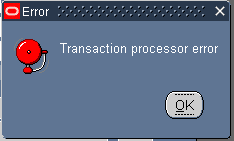
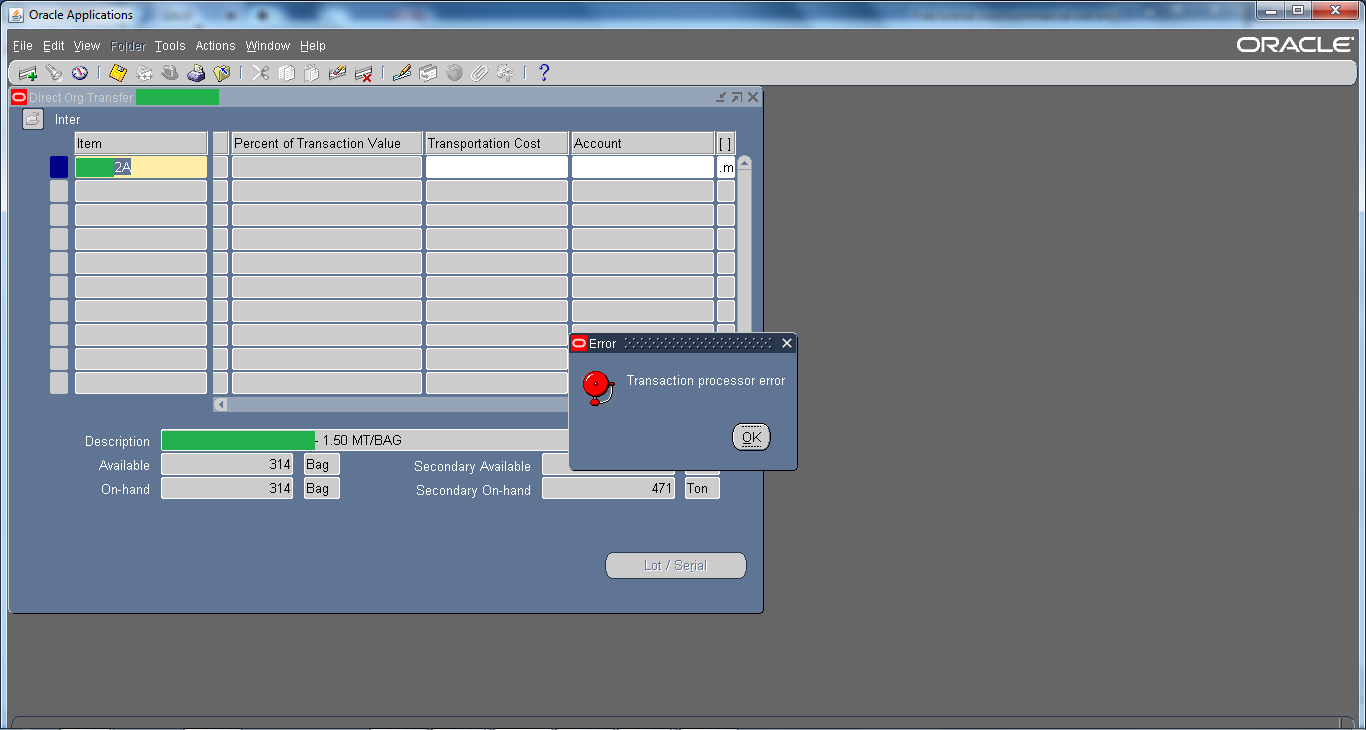
Error : Transaction Processor error

July 28th, 2015, posted in Oracle
Share

Oracle Application Error :: Error : Transaction Processor error,Oracle Application Error ,Error : Transaction Processor error,Oracle Application ,Error ,Transaction Processor error,Transaction Processor ,Oracle Application DBA,Oracle , Application DBA,Oracle DBA, Apps,Oracle APPs DBA,APPS DBA,Oracle Application r12,Oracle EBS R12,oracle DBA,Oracle DBA error,ORacle application error

This is one of the generic error and there could be multiple reasons, even a bug.  Mostly and commonly it is seen in Inventory Module. For example, while you perform Subinventory transfer or Mis transaction then that through “Transaction processor error” or when you perform Inter-Organization Transfer then that through “Transaction processor error“.

Oracle Application Error :: Error : Transaction Processor error,Oracle Application Error ,Error : Transaction Processor error,Oracle Application ,Error ,Transaction Processor error,Transaction Processor ,Oracle Application DBA,Oracle , Application DBA,Oracle DBA, Apps,Oracle APPs DBA,APPS DBA,Oracle Application r12,Oracle EBS R12,oracle DBA,Oracle DBA error,ORacle application error

Solutions :

1 ) For starters you can check Tablespace, sometimes they are full due to which this kind of issue may occur.

2 ) Check Managers from System Administrator Responsibility

3 ) Check is ‘Receiving Transaction Manager‘ from system administrator responsibility is working or not.

4 ) Check RCV: Processing Mode profile option to immidiate and then restart+activate ‘Receiving Transaction Manager‘ from system administrator responsibility

5 ) Shutdown the Oracle Application & Oracle Database. After doing that start the Database again and once the database is started wait for 5 mins and than start the Application again.


Try all these solutions one by one & hopefully if might resolve the issue. But do it on your own risk !! 😀

Share

CRON Troubleshooting Guide

July 15th, 2015, posted in Solaris
Share

Cron facility can be used to schedule regularly occurring commands or scripts. Users can submit cron jobs by adding an entry to their respective crontabs located in /var/spool/cron/crontabs directory and stored as their login name. Below are few of the troubleshooting tips and best practices which can be helpful in many cases.


Important cron files :

The important files related cron are :

/etc/cron.d/cron.allow
— File containing usernames that have permission to submit cronjobs
/etc/cron.d/cron.deny
— File containing usernames that don’t have permission to submit cronjobs
/var/cron/log
— Cron Log file
/var/spool/cron/crontabs
— Directory containing individual crontab files of all users.


How to edit a crontab :

The best way to edit a crontab is using the command crontab -e. Another way of doing it is :
1. su to the user whose cron you want to change
2. crontab -l > file [ copy the crontab to a file ].
3. vi file [ make changes to the file as per your need ]
4. crontab file [ this makes the “file” as new crontab ]
There is no need to restart the cron daemon after this.

Note : If by mistake you simple run only crontab command, don’t try to come out by typing CTRL+D as it will remove all the entries in the crontab file. Use CTRL+C to come out of the crontab command.
Check whether cron daemon is running
Check if the cron daemon is running in the system [prior to solaris 10] :

# ps -ef |grep cron
 To start or stop cron daemon use:
# /etc/init.d/cron [stop|start]
 In case of Solaris 10, check the for the cron service status :
# svcs -p svc:/system/cron
 To make sure cron jobs are running properly, add below entry in the crontab.
* * * * * date > /dev/console
 This will print the date every minute to the console. You can also use pts terminal you are working on, if you don’t have the access to console.

Controlling access to crontab :
– The file /etc/cron.d/cron.allow can be used to allow users to submit cron jobs.
– If the cron.allow file is not present cron checks /etc/cron.d/cron.deny file to see which users are not allowed to submit cron jobs.
– If a user is present in both the files, the cron daemon checks the cron.allow file first and ignores the cron.deny file.
– If both files are missing only root can run the jobs.

Check permission and path to the script :
Seems silly, but I have seen many people doing this mistake of not giving executable permissions to the script they want to run from cron.

# chmod u+x /path/to/script

Also make sure that the cron entry has absolute path to the script and also to the shell used by the script:

* 5 * * * /bin/bash /path/to/script.sh

Check the cron logs :
Many a time the cron log file /var/cron/log clearly points out the issue in the cronjob. Check for the period in which the scripts should have run in the cron log. this would most probably point out the error in the cronjob.

Be careful when emptying a crontab :
If you delete all the cron jobs using crontab -e, the command crontab -l will still show all the cron jobs. this is because crontab -e does not know what to do with an empty crontab file. So it does not update any changes. The proper way to delete all the jobs from the crontab is :
# crontab -r

Check cron permissions
Sometimes you must have encountered an error “error in message queue open”. One of the reasons of this is a wrong permission to cron and crontab. The proper permissions of cron and crontab are :

# ls -l /usr/sbin/cron
-r-xr-xr-x 1 root sys 57420 Jan 22 2005 /usr/sbin/cron
 # ls -l /usr/bin/crontab
 -r-sr-xr-x 1 root bin 20336 Jan 22 2005 /usr/bin/crontab
 Note the setuid permissions on crontab file.

‘crontab -e’ command returns a number and a ‘?’
Sometimes when you try to edit a crontab file using crontab -e command, it prints a number and a ‘?’. This is because by default the editor used by crontab -e command is the default solaris editor ‘ed’ and not vi editor. When ed starts up it prints the number of characters in the crontab file and does not have a prompt.

To avoid this, simple com out of the ed editor by typing q. Now set the EDITOR environmental variable to vi and run crontab -e again :

# EDITOR=vi
# export EDITOR
Password expired for a user :
Many a times cron jobs fail because the password has expired for the user owning the job. In that case you would see below error in the cron log file /var/cron/log :

Authentication token is no longer valid; new one required
CRON (oracle) ERROR: failed to open PAM security session: Success
CRON (oracle) ERROR: cannot set security context
The solution to this problem is to extend the password for the user :

# passwd -x 10 oracle
Redirection / special symbols and their meanings
It is good to know some of the redirection and special symbols being used when adding an entry to the crontab. Any mistake in using them may again lead to a cron job failure. An example of using these symbols in a cron job entry is :

0 5 * * * /bin/bash -l -c ‘export RAILS_ENV=my_env; cd /my_folder; ./script/script.rb 2>&1 > ./log/my_log.log’
Redirection file descriptors
There are 3 standard file descriptors :

1. stdin 0 – Standard input to the program.
2. stdout 1 – Standard output from the program.
3. stderr 2 – Standard error output from the program.
Normally stdin is from the keyboard and stdout and stderr goes to the terminal. But we can redirect it to a file. One of the most commonly used (and confusing) redirection is “2>&1″. It means take the standard error output from the command and send it to the same place where standard output is going.

Other than the most redirection symbols, there are many other symbols used while entering a cron job entry in the crontab :

;
Used to separate two commands on one line
&
Run the command in the background
&&
Run the following command only if the previous command completes successfully, (i.e., grep string file && cat file)
||
“Run the following command only if the previous command did not complete successfully, (i.e., grep string file || echo “”String not found””)”
( )
The command within the parentheses is executed in a subshell

= single forward quote – Don’t assign any special meaning to any character within these quotations

Take the following character literally. Also used to “”escape”” a new-line character so that a user can continue a command on more than one line
” “
Allow variable and command substitution with these quotations
`command`
` = single back quote – Take the output of this command and substitute it as an argument on the command line
#
Everything following # until is a comment

Share

Write In Arabic Numberic In MSWord And MSExcel

July 10th, 2015, posted in Microsoft
Share

Under the Control Panel, go to Regional Settings, and add the Arabic language and Hindi language support.

Also, under the File menu within Word 2010, go to Options->Advanced, scroll down a little, and you shall find a DropDown box for numerals.

Write In Arabic Numberic In MSWord And MSExcel,MSWord And MSExcel,MSWord,MSExcel,Arabic Numberic In MSWord,Arabic Numberic ,In MSWord,Arabic,Arab Language,Control Panel,Arabic Setting In computer,Microsoft,Microsoft Word

Go to

Start >> Setting >> Control Panel >> regional and Language Options

Under “Format”, Click the “Customize this Format” Button.

and it should be under “Standard Digits”, the second last option.

Change it to whichever Numeral System you would like. There is the

(Arabic, Persian, Thai…..etc)

For Microsoft Word:

Go to Tools >> Options

Under “Complex Script” Tab, change the “Numerals” to “Hindi”

and you should be able to input the other “Arabic” Numbering system

or simply..
Just download Arabic Font to solve the whole issue.
Such as Kufi Font…

Hope this helps !!

Share