Posts Tagged ‘Oracle DBA’

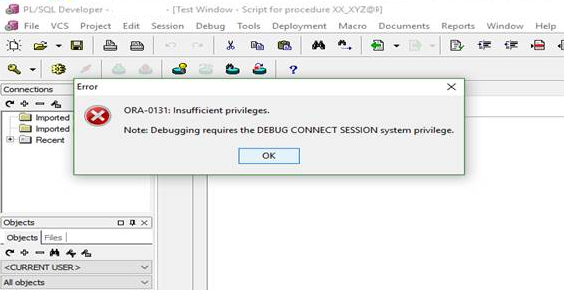
ORA-0131 Insufficient privileges

December 11th, 2016, posted in Oracle Queries
Share

ORA-0131: Insufficient privileges,ORA-0131,Insufficient privileges,ORA 0131,ORA Error, Insufficient, privileges,DEBUG CONNECT SESSION,system privilege,Debugging requires the DEBUG CONNECT,ORA Debugging,ORA Debugging,ORA Debugging requires,Oracle APPS DBA,ORACLE DBA,ORACLE DB,
Title :
Getting “ORA-01031: insufficient privileges” error when trying to Debug.

Description :
When trying to debug a procedure, package, etc., the following error messages are received:

ORA-01031: insufficient privileges

Cause :
The Oracle user or schema account does not have the required Oracle rights to debug an object.

Resolution :
Ensure the User or Schema has all the required Oracle privileges granted for debugging objects on that database.

1. connect as sysdba
2. exec the sql:
 grant debug connect session to XXXXXX;

or
grant DEBUG ANY PROCEDURE to XXXXXX;;

Share

Check Number Of Oracle Users With Different Queries

June 17th, 2016, posted in Oracle Queries
Share

Query # 1 :

desc v$license
Name Null? Type
----------------------------------------- -------- ----------------
SESSIONS_MAX NUMBER
SESSIONS_WARNING NUMBER
SESSIONS_CURRENT NUMBER
SESSIONS_HIGHWATER NUMBER
USERS_MAX NUMBER
CPU_COUNT_CURRENT NUMBER
CPU_CORE_COUNT_CURRENT NUMBER
CPU_SOCKET_COUNT_CURRENT NUMBER
CPU_COUNT_HIGHWATER NUMBER
CPU_CORE_COUNT_HIGHWATER NUMBER
CPU_SOCKET_COUNT_HIGHWATER NUMBER


Query # 2 :

select sessions_current from v$license;


Query # 3 :

select SESSIONS_CURRENT,SESSIONS_HIGHWATER,CPU_COUNT_CURRENT,CPU_COUNT_HIGHWATER from v$license;


Query # 4 :

SELECT USERNAME FROM DBA_USERS


Query # 5 :

SELECT distinct user_id from FND_LOGINS


Query # 6 :

SELECT distinct user_id from icx_sessions


Query # 7 :

SELECT distinct user_id from FND_USER


Query #8:


select application_name,responsibility_name,
security_group_name, user_name,
greatest(u.start_date, ur.start_date, r.start_date) start_date,
least(nvl(u.end_date, nvl(ur.end_date, r.end_date)),
nvl(ur.end_date, nvl(u.end_date, r.end_date)),
nvl(r.end_date, nvl(u.end_date, ur.end_date))) end_date
from fnd_user u,fnd_user_resp_groups ur,
fnd_responsibility_vl r,fnd_application_vl a, 
fnd_security_groups_vl s
where a.application_id = r.application_id
and u.user_id = ur.user_id
and r.application_id = ur.responsibility_application_id
and r.responsibility_id = ur.responsibility_id
and ur.start_date  sysdate
and u.start_date  sysdate
and r.start_date  sysdate
and ur.security_group_id = s.security_group_id
order by application_name,responsibility_name,security_group_name, user_name


 

Query # 9 :


select application_name,responsibility_name,
security_group_name, user_name,
greatest(u.start_date, ur.start_date, r.start_date) start_date,
least(nvl(u.end_date, nvl(ur.end_date, r.end_date)),
nvl(ur.end_date, nvl(u.end_date, r.end_date)),
nvl(r.end_date, nvl(u.end_date, ur.end_date))) end_date
from fnd_user u,fnd_user_resp_groups ur,
fnd_responsibility_vl r,fnd_application_vl a, 
fnd_security_groups_vl s
where a.application_id = r.application_id
and u.user_id = ur.user_id
and r.application_id = ur.responsibility_application_id
and r.responsibility_id = ur.responsibility_id
and ur.start_date  sysdate
and u.start_date  sysdate
and r.start_date  sysdate
and ur.security_group_id = s.security_group_id
order by application_name,responsibility_name,security_group_name, user_name
 

Share

ORA-00265: Instance recovery required cannot set ARCHIVELOG mode

June 3rd, 2016, posted in Oracle Queries
Share

Today, I came across the “ORA-00265: instance recovery required, cannot set ARCHIVELOG mode” while
converting database into archive log mode.Problem sys@standby> startup mount; ORACLE instance started. Total System Global Area 835104768 bytes Fixed Size 2217952 bytes Variable Size 490735648 bytes Database Buffers 335544320 bytes Redo Buffers 6606848 bytes Database mounted. sys@standby> alter database recover managed standby database using current logfile disconnect; alter database recover managed standby database using current logfile disconnect * ERROR at line 1: ORA-01153: an incompatible media recovery is active Cause This indicates a currently running media recovery process. Action sys@standby> alter database recover managed standby database cancel; sys@standby> alter database recover managed standby database using current logfile disconnect; Note When shutting down physical standby database, firstly turn off media recovery process. Otherwise the next time when starting up redo apply again, you will encounter error ORA-01153.

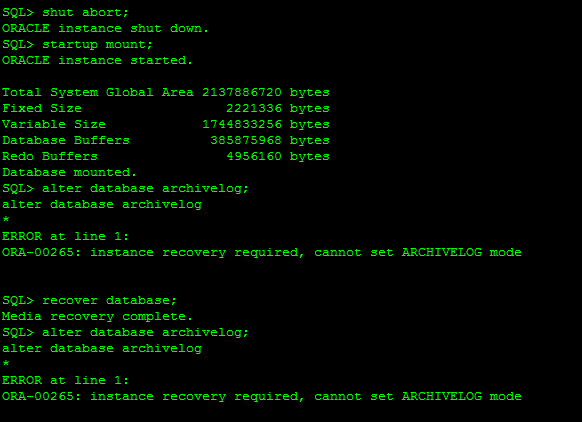
This error usually caused when database crashed unfortunately or we shutdown database with the help of database shutdown command as: shutdown abort, startup force mount or shutdown abort. These types of command will required instance recovery in next startup. In short it need clean database startup.


SQL> alter database archivelog;
alter database archivelog
*
ERROR at line 1:
ORA-00265: instance recovery required, cannot set ARCHIVELOG mode

Reason :

ORA-00265: instance recovery required, cannot set ARCHIVELOG mode
 *Cause:  The database either crashed or was shutdown with the ABORT
          option. Media recovery cannot be enabled because the online
          logs may not be sufficient to recover the current datafiles.
 *Action: Open the database and then enter the SHUTDOWN command with the
          NORMAL or IMMEDIATE option.


ORA-00265: Instance recovery required cannot set ARCHIVELOG mode,ORA-00265,Instance recovery required, cannot set ARCHIVELOG mode,ARCHIVELOG mode,ARCHIVELOG Error,Oracle DBA,Oracle Database,Oracle Archive issue,Oracle Ora,

Solution:

SQL> select status from v$instance;
STATUS
————————————
MOUNTED

SQL> alter database open;
Database altered.

SQL> shutdown immediate;
Database closed.
Database dismounted.
ORACLE instance shut down.
SQL> startup mount;
ORACLE instance started.
Total System Global Area 293601280 bytes
Fixed Size 1248600 bytes
Variable Size 88081064 bytes
Database Buffers 197132288 bytes
Redo Buffers 7139328 bytes
Database mounted.
SQL> alter database archivelog;
Database altered.
SQL> alter database open;
Database altered.
Share

How to check Oracle EBS/APPS Version

May 22nd, 2016, posted in Oracle Queries
Share

To check Oracle EBS/APPS Version

Run following SQL from apps user :Problem sys@standby> startup mount; ORACLE instance started. Total System Global Area 835104768 bytes Fixed Size 2217952 bytes Variable Size 490735648 bytes Database Buffers 335544320 bytes Redo Buffers 6606848 bytes Database mounted. sys@standby> alter database recover managed standby database using current logfile disconnect; alter database recover managed standby database using current logfile disconnect * ERROR at line 1: ORA-01153: an incompatible media recovery is active Cause This indicates a currently running media recovery process. Action sys@standby> alter database recover managed standby database cancel; sys@standby> alter database recover managed standby database using current logfile disconnect; Note When shutting down physical standby database, firstly turn off media recovery process. Otherwise the next time when starting up redo apply again, you will encounter error ORA-01153.

select RELEASE_NAME from fnd_product_groups; 

You should see output like :

RELEASE_NAME
-----------------------
11.5.10.2
Share