
Archive for the ‘Oracle EBS Application’ Category

ORA-25153: Temp Tablespace error on adconfig.sh

July 24th, 2022, posted in Oracle, Oracle EBS Application
Share

========================================================================

                                                        If This Error Facing on Adconfig.sh or autoconfig.sh
=======================================================================

Atempting upload of Context file and templates to database...ERROR: InDbCtxFile.uploadCtx() :
Exception : Error executng BEGIN fnd_gsm_util.append_ctx_fragment(:1,:2,:3);
END;: 1; Oracle error -1187: ORA-01187: cannot read from file 515 because it failed verification tests
ORA-01110: data file 515: '/oradata/proddb/data/temp03.dbf' has been detected in FND_GSM_UTIL.APPEND_CTX_FRAGMENT.
oracle.apps.ad.autoconfig.oam.InDbCtxFileException: Error executng BEGIN fnd_gsm_util.append_ctx_fragment(:1,:2,:3);
END;: 1; Oracle error -1187: ORA-01187: cannot read from file 515 because it failed verification tests
ORA-01110: data file 515: '/oradata/proddb/data/temp03.dbf' has been detected in FND_GSM_UTIL.APPEND_CTX_FRAGMENT.
at oracle.apps.ad.autoconfig.oam.InDbCtxFile.uploadCtx(InDbCtxFile.java:220)
at oracle.apps.ad.autoconfig.oam.CtxSynchronizer.uploadToDb(CtxSynchronizer.java:328)
at oracle.apps.ad.tools.configuration.FileSysDBCtxMerge.updateDBCtx(FileSysDBCtxMerge.java:678)
at oracle.apps.ad.tools.configuration.FileSysDBCtxMerge.updateDBFiles(FileSysDBCtxMerge.java:222)
at oracle.apps.ad.context.CtxValueMgt.processCtxFile(CtxValueMgt.java:1688)
at oracle.apps.ad.context.CtxValueMgt.main(CtxValueMgt.java:763)
FAILED
COMPLETED

=======================================================================================================================================================
                                             Solution Apply
============================================================================================================================================
login as: dgdb
dgdb@192.168.1.80's password:
Last login: Mon May  2 15:54:08 2016 from 192.168.81.61
[dgdb@b6dgdb ~]$ cd /oradb/proddb/PROD/db/tech_st/11.1.0/
[dgdb@b6dgdb 11.1.0]$ . ./T2_b6dgdb.env
[dgdb@b6dgdb 11.1.0]$ sqlplus / as sysdba

SQL*Plus: Release 11.1.0.7.0 - Production on Mon May 2 16:46:14 2016

Copyright (c) 1982, 2008, Oracle.  All rights reserved.

Connected to:
Oracle Database 11g Enterprise Edition Release 11.1.0.7.0 - 64bit Production
With the Partitioning, OLAP, Data Mining and Real Application Testing options

SQL>
sql> select bytes/1024/1024 from dba_temp_files;
select bytes/1024/1024 from dba_temp_files
*
ERROR at line 1:
ORA-01187: cannot read from file 513 because it failed verification tests
ORA-01110: data file 513: '/oradata/proddb/data/temp01.dbf'

SQL> col name format a50
SQL> run
1* select file#,status,name from v$tempfile

FILE# STATUS  NAME
---------- ------- --------------------------------------------------
1 ONLINE  /oradata/proddb/data/temp01.dbf
2 ONLINE  /oradata/proddb/data/temp02.dbf
3 ONLINE  /oradata/proddb/data/temp03.dbf

SQL> col DESCRIPTION format a40
SQL>
SQL> SELECT * FROM   database_properties WHERE  property_name like '%TABLESPACE'

PROPERTY_NAME                  PROPERTY_VALUE                           DESCRIPTION
------------------------------ ---------------------------------------- ----------------------------------------
DEFAULT_TEMP_TABLESPACE        TEMP                                     ID of default temporary tablespace
DEFAULT_PERMANENT_TABLESPACE   SYSTEM                                   Default Permanent Tablespace ID

CREATE TEMPORARY TABLESPACE temp3 TEMPFILE '/oradata/proddb/data/temp_01' SIZE 1024M TABLESPACE GROUP temp;

alter tablespace temp3 add tempfile  '/oradata/proddb/data/temp_02' SIZE 1024M;

ALTER DATABASE DEFAULT TEMPORARY TABLESPACE temp3;

SQL> SELECT * FROM dba_tablespace_groups;

GROUP_NAME                     TABLESPACE_NAME
------------------------------ ------------------------------
TEMP                           TEMP1
TEMP                           TEMP2

DROP TABLESPACE temp1 INCLUDING CONTENTS AND DATAFILES;

DROP TABLESPACE temp2 INCLUDING CONTENTS AND DATAFILES;

sql> select TABLESPACE_NAME,FILE_NAME from dba_temp_files

TABLESPACE_NAME                FILE_NAME
------------------------------ ----------------------------------------
TEMP3                          /oradata/proddb/data/temp_02
TEMP3                          /oradata/proddb/data/temp_01

========================================================================================================================================
                                              Then Run Adconfig.sh
========================================================================================================================================
login as: dgapps
dgapps@192.168.1.81's password:
Last login: Mon May  2 16:24:32 2016 from 192.168.81.61
[dgapps@c6dgapps ~]$ cd /oraapps/prodapps/
oraInventory/ PROD/
[dgapps@c6dgapps ~]$ cd /oraapps/prodapps/PROD/apps/apps_st/appl/
[dgapps@c6dgapps appl]$ cd ad/12.0.0/bin
[dgapps@c6dgapps bin]$
[dgapps@c6dgapps bin]$ sh adconfig.sh
Enter the full path to the Context file:/oraapps/prodapps/PROD/inst/apps/T2_c6dgapps/appl/admin/T2_c6dgapps.xml
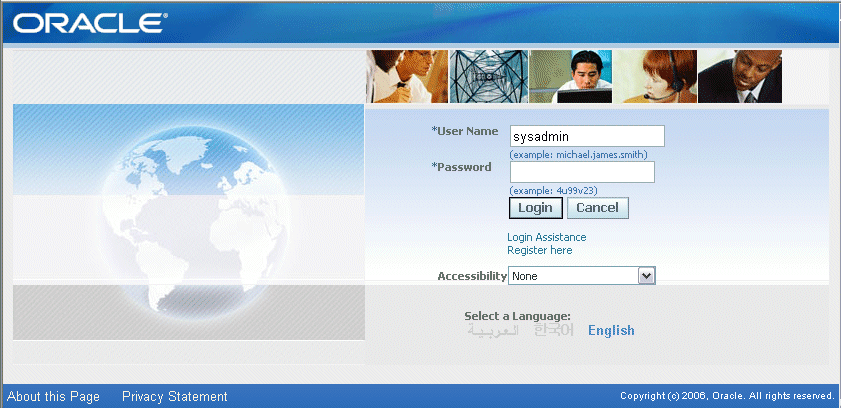
Share

Query To Get The Profile Option Configurations

February 20th, 2022, posted in Oracle EBS Application, Oracle Queries
Share

SELECT ot.user_profile_option_name,
TO_CHAR (v.level_id) level_id,
DECODE (v.level_id,
10001, ‘Site’,
10002, ‘Application’,
10003, ‘Responsibility’,
10004, ‘User ID’,
v.level_id)
level_meaning,
DECODE (v.level_id,
10001, ‘Site’,
10002, apl.application_name,
10003, frt.responsibility_name,
10004, u.user_name,
v.level_id)
level_name,
v.profile_option_value,
o.profile_option_name,
v.creation_date value_creation_date,
v.created_by value_created_by,
v.last_update_date value_last_updated_date,
v.last_updated_by value_last_updated_by
FROM applsys.fnd_profile_options_tl ot,
applsys.fnd_profile_options o,
applsys.fnd_profile_option_values v,
applsys.fnd_responsibility_tl frt,
apps.fnd_application_vl apl,
fnd_user u
WHERE v.level_value = frt.responsibility_id(+)
AND v.profile_option_id = o.profile_option_id
AND o.profile_option_name = ot.profile_option_name
AND ot.language = ‘US’
AND NVL (frt.language, ‘US’) = ‘US’
AND v.level_value = apl.application_id(+)
AND u.user_id(+) = v.level_value
ORDER BY ot.user_profile_option_name,
v.level_id,
DECODE (v.level_id,
10001, ‘Site’,
10002, ‘Application’,
10003, frt.responsibility_name,
10004, u.user_name,
v.level_id);

Share

Query To Get The Front End URL From Backend

February 6th, 2022, posted in Oracle EBS Application, Oracle Queries
Share

Query to get the front end URL,oracle ebs front end URL,oracle ebs url

Query to get the front end URL from back-end


SELECT home_url FROM   icx_parameters; 
http://hostname.domainname.com:8000/OA_HTML/AppsLogin


Share

Oracle Database New Features (12c to 19c)

January 1st, 2022, posted in Oracle EBS Application
Share

Oracle Database New Features (12c to 19c)

From Oracle database 12c on-wards, whole architecture was changed. And it comes with many new features. Oracle also changed the policy of releasing database patches and version. Now we are seeing new version every year from 2018 on-wards, i.e. 18c in the year of 2018, 19, in the year of 2019 and now very soon 20c is coming this year.

Here I am highlighting Oracle database new features which was introduce in different Oracle database versions. My focus is to highlight most important features from version 12c onwards up to 19c.

This will help you to understand which feature we can use in which version.


Category
DB
Versions
12.1
12.2
18c
19c
High
Availability
Comprehensive HA and disaster
recovery functionality
Sharding
Sharded RAC
Data Guard DML Redirect
Oracle Golden Gate for heterogeneous replication
Autonomous Health Framework
User-defined Sharding Methods
Sharding: Supports multiple PDB shards in a CDB
Unique sequence number generation per shard
Zero Downtime Grid Infrastructure
Patching
PDB Recovery Catalog
Improvements to Application
Continuity


Category
DB Versions
12.1
12.2
18c
19c
Performance and Salability
In-Memory Column Store
In Memory JSON Queries
Memory Optimized Row
Store
Fast ingest support for
IoT type workloads
Engineered Systems
In Memory Active Standby
New Approximate Functions
Quarantine for SQL Statements
Optimizer Adaptive
Feature
Optimizer Adaptive
Feature
Stats Only Queries
Approximate Query Processing
New Approximate Functions
Improvements for COUNT DISTINCT and GROUP BY queries
Optimizer Statistics
Advisor
Automatic Indexing
Realtime Statistics
Automatic Resolution of
SQL Plan Regressions


Category
DB Versions
12.1
12.2
18c
19c
Multitenant
Container managed
database virtualization
Online cloning &
relocation
Transportable backups
DBCA Silent mode
operations for PDB
Manage Many as one
Incremental refresh of test/dev master
Snapshot carousel
RAT and ADDM at PDB level
Patching, Backup,
Security, Online Cloning, Online Relocation
Application containers
Refreshable PDB
switchover
Automated PDB Relocation


Category
DB Versions
12.1
12.2
18c
19c
Security
Security In-Depth
Access Controls, Encryption, Redaction, Masking, Auditing, SQL Firewalls Key
Vault
Online encryption
Integration with Active
Directory
Data Dictionary
Encryption
Audit Vault Database Firewall
Password-less schema creation
Password-less Schema-only Oracle accounts
Security Assessment Tool
Database Vault Operations
Control
Privilege Analysis available in EE


Category
DB Versions
12.1
12.2
18c
19c
Application 
Development
Application Express 5.1
Long Identifiers
Improved JSON Support
SQL JSON Enhancements
Comprehensive Language support
PL/SQL, SQL , Python, Node.js, PHP, Java, C, .NET, REST
JSON
Case Insensitive Databases
C, Python, JavaScript JSON SODA API
Materialized View for JSON_TABLE
Private Temporary Tables
Partial JSON Update
support
Realtime SQL Monitoring for Developers


Category
DB Versions
12.1
12.2
18c
19c
Data Warehousing and Big Data
Partitioning,
Compression, SQL, Analytical Views, Analytical SQL, Data Mining
Partitioned External
Tables
In-Memory for external
tables
Hybrid Partitioned Tables
Easily analyze data held in Hadoop with Big Data SQL
Analytical Views
Automatic propagation of nologged data to standby
Stats only Queries
Big Data Appliance
Machine Learning :
Random Forrest, Neural Network


Category
DB Versions
12.1
12.2
18c
19c
Other 
Improvements
EZConnect Improvements
Oracle Database XE
Free to use
Includes most EE features
no RAC, Data Guard, GoldenGate
Oracle Database 19c RPM
Install, Yum install of Oracle Instant Clients
Oracle Read Only Homes
No click through client
software install
Oracle Docker images
SQLDeveloper Web
Oracle Data REST Services (ORDS)
Share