
Posts Tagged ‘APPS DBA’

Locking And Unlocking Tables In Oracle

August 4th, 2015, posted in Oracle Queries
Share

Locking And Unlocking Tables In Oracle,Locking Tables In Oracle,Unlocking Tables In Oracle,Tables In Oracle,Oracle DBA,DBA,APPS DBA,ORA DBA,Application DBA,Database DBA,Oracle Tricks,Locking Query in Oracle,Unlocking Query in DBA,Oracle Forms Error,Oracle Application Forms Error,Forms : Could not reserve record (2 tries). Keep trying,FRM-40501,FRM-40501: COULD NOT RESERVE RECORD [2 TRIES]; ORACLE APPS RECORD-LOCKING

One Way : 

Oracle puts locks while performing any DDL or DML operation on oracle tables.When table locks is present on any tables in Oracle we cannot run DDL on those tables.

Some of the locks automatically set by oracle are RS and RX Locks.

SELECT … FOR UPDATE execution results in RS (row share) table lock. When you execute an INSERT, UPDATE or DELETE Oracle puts RX (row exclusive) table lock.

We have to kill the session which holds the lock in order to execute further operations. Follow the below steps to kill the session and forcibly unlock the table.

Let’s assume that ‘EMP’ table is locked,


SELECT object_id FROM dba_objects WHERE object_name='EMP';
 OBJECT_ID
----------
   7401242

If there are no locks present for the table ‘EMP’ this query won’t return any values.

SELECT sid FROM v$lock WHERE id1=7401242
SID
----------
3434


SELECT sid, serial# from v$session where sid=3434
SID        SERIAL#
---------- ----------
3434       92193


ALTER SYSTEM KILL SESSION '3434,92193' ;


Once the session is killed you will be able to carry out any DDL activities on EMP table. Also you can check in TOAD if there are any active sessions associated to the SID that we killed, to make sure that the session has been killed.


*********************************************************************************************************************
Also Check : http://aliimmam.com/forms-could-not-reserve-record-2-tries-keep-trying/
Also Check : http://aliimmam.com/lock-tables-and-unlock-tables-syntax/
Note : Please not do make backups before using these queries and also confirm them yourself or by aother means as well. Source : http://www.bluegecko.net/oracle/frm-40501-could-not-reserve-record-2-tries-oracle-apps-record-locking/
*********************************************************************************************************************
Share

Error : Transaction Processor error

July 28th, 2015, posted in Oracle
Share

Oracle Application Error :: Error : Transaction Processor error,Oracle Application Error ,Error : Transaction Processor error,Oracle Application ,Error ,Transaction Processor error,Transaction Processor ,Oracle Application DBA,Oracle , Application DBA,Oracle DBA, Apps,Oracle APPs DBA,APPS DBA,Oracle Application r12,Oracle EBS R12,oracle DBA,Oracle DBA error,ORacle application error

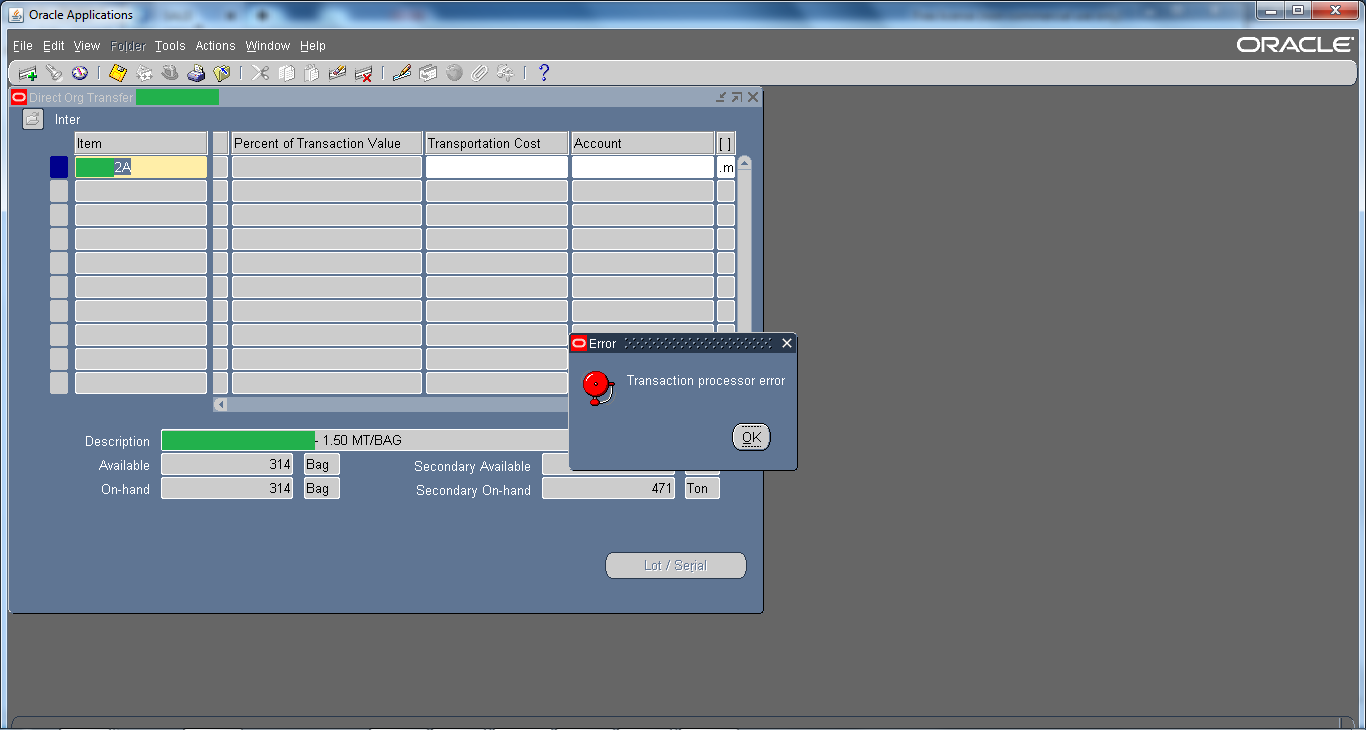
This is one of the generic error and there could be multiple reasons, even a bug.  Mostly and commonly it is seen in Inventory Module. For example, while you perform Subinventory transfer or Mis transaction then that through “Transaction processor error” or when you perform Inter-Organization Transfer then that through “Transaction processor error“.

Oracle Application Error :: Error : Transaction Processor error,Oracle Application Error ,Error : Transaction Processor error,Oracle Application ,Error ,Transaction Processor error,Transaction Processor ,Oracle Application DBA,Oracle , Application DBA,Oracle DBA, Apps,Oracle APPs DBA,APPS DBA,Oracle Application r12,Oracle EBS R12,oracle DBA,Oracle DBA error,ORacle application error

Solutions :

1 ) For starters you can check Tablespace, sometimes they are full due to which this kind of issue may occur.

2 ) Check Managers from System Administrator Responsibility

3 ) Check is ‘Receiving Transaction Manager‘ from system administrator responsibility is working or not.

4 ) Check RCV: Processing Mode profile option to immidiate and then restart+activate ‘Receiving Transaction Manager‘ from system administrator responsibility

5 ) Shutdown the Oracle Application & Oracle Database. After doing that start the Database again and once the database is started wait for 5 mins and than start the Application again.


Try all these solutions one by one & hopefully if might resolve the issue. But do it on your own risk !! 😀

Share

LOCK TABLES and UNLOCK TABLES Syntax For ORACLE

December 11th, 2013, posted in Oracle Queries
Share
Identify locked objects :

select object_name, v.session_id SID, v.oracle_username,type,lmode,request
       from v$locked_object v, v$lock l, dba_objects o
       where l.sid=v.session_id
       and v.object_id=o.object_id
       and l.block > 0;

Identify who locks whom :

select
      (select osuser from v$session where sid=a.sid) blocker,
      a.sid,
      (select serial# from v$session where sid=a.sid) serial#,
      ' blocks ',
      (select osuser from v$session where sid=b.sid) blockee,
      b.sid, c.username username
    from v$lock a, v$lock b, v$session c
    where a.block = 1
    and b.request > 0
    and a.id1 = b.id1
    and a.id2 = b.id2
    and b.sid = c.sid

Kill session :

SQL> alter system kill session 'sid,serial#';


*********************************************************************************************************************
Also Check : http://aliimmam.com/locking-and-unlocking-tables-in-oracle/
Also Check : http://aliimmam.com/forms-could-not-reserve-record-2-tries-keep-trying/
Note : Please not do make backups before using these queries and also confirm them yourself or by aother means as well.

*********************************************************************************************************************

Share