Enabling the FLASHBACK DATABASE on the standby database :
SQL> alter database flashback on;
Database altered.
Checking the status of the flashback on the database :
SQL> select flashback_on from gv$database;
FLASHBACK_ON
——————
YES
YES

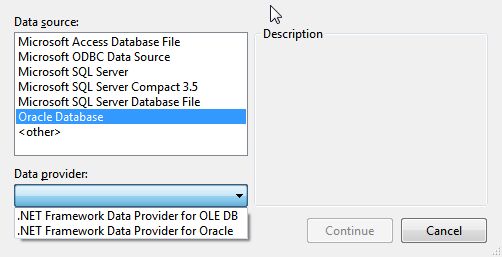
Sometimes we learn a lot of things after a hard struggle then after a period of time we forget the process or something which is a key and after that we spent time to get the solution again. A documentation of each activity might help to make your portfolio that’s why I am writing a blog because it’s a better idea “what you learn write ones” So, Today I am going to explain you Connection String C# to Oracle Database. Occasionally we have seen C# to Sql Server in many other blogs and Microsoft web sites. C# to Oracle connection string is Similar to C# to SQL Server Connection String with one additional step Here we go :
Step# 1
Open Visual Studio 2010 [ I am assumed that you are using VS2010 ] , Click on File->New->Website Then select from the left pane Visual C# and then select ASP.net Web Site. Note: .Net Framework 4 should be selected.
Step#2
Right click on the project for ” add new Item” click ok
Step#3
Open “Default.aspx.cs” file or whatever your file name with the extension “aspx.cs” from the solution Explorer [ Ctrl + Alt + L ]
Step# 4
Again Right click on the project and “Add ASP.Net Folder“ then select “Bin“. Download the file ” System.Data.OracleClient.dll ” from: http://www.dllme.com/dll/files/system_data_oracleclient_dll.html and then place in the Bin folder which you have created then refresh the project folder from the VS2010
Step# 5
Now add this in to header of Default.aspx.cs file
using System.Data.OracleClient; using System.Data; using System.Configuration;
Step# 6
Open web.config and add this under connectionStrings tag <add name=”TestConn” connectionString=”Data Source=TestSource; User;password=Test;Persist Security Info=False” providerName=”System.Data.OracleClient”/> Save file with your credentials and close
Step# 7
Now back to the default.aspx.cs
public void muFunc()
{
string arr;
string connStr = System.Configuration.ConfigurationManager.ConnectionStrings[“TestConn”].ConnectionString;
try
{
OracleConnection conn = new OracleConnection(connStr);
string query = “SELECT * FROM Orders”;
conn.Open();
}
catch (Exception Er)
{
}
finally
{
Conn.Close();
}
}
Hope this helps to you.
Note : This blog was written by a friend.
http://fahadshamsi.blogspot.com/2013/01/CsharptoOracleConnection.html